| Description | The affordable Gendex 9200 DDE dental radiography system offers standard panoramic and cephalometric x-ray projections, as well as a wide range of advanced programs to support most dental imaging and exams. | The Waterlase MD features Hydro- Photonics?a combination of YSGG laser energy and water?which allows the clinician to perform a wide range of conventional procedures with less anesthetic. Known for its precision and accuracy, the MD enables treatment of targeted areas of both tooth structure and soft tissue while maintaining the structural integrity of the tooth and leaving surrounding areas unaffected. | TRIOS MOVE makes it simple to show digital impressions to your patients in order to explain their treatment plans and improve communication. The system features the same scanning technology as the TRIOS 3, including the option of a wireless model, and can capture full-color digital impressions, provide shade matching and more quickly and easily. As an open system, it can send digital impressions to almost any dental CAD/CAM software platform for the fabrication of almost any fixed, removable or orthodontic solution. | The CS 3500 features a unique light guidance system that captures .STL data files during the image acquisition process. [I place a scan body abutment on the implant before the scanning process.] Scans acquired by the CS 3500 can be exported as open format .STL files and easily sent to the lab of your dentist’s choice to discuss making your new crown(s). Now your restorations are produced via the digital model utilizing CAD/CAM technology! | Designed especially for general dentists, the Sirona Orthophos XG3 combines top-tier image quality and exceptional ease-of-use in an affordable, digital panoramic x-ray solution. | WaterLase iPlus includes the all-new SureFire™ delivery system, with redesigned optics that can more efficiently deliver precise amounts of Er,Cr:YSGG laser energy to cut enamel, dentin and bone. The SureFire delivery system is optimized to provide the dentist with more up time with a replaceable, disposable shield that protects the vital optical components in the fiber, resulting in greater dependability. |
| Content | Gendex Orthoralix 9200 DDE Digital Cephalometric + Panoramic X Ray
The versatile Orthoralix 9200 system offers standard panoramic projections, as well as a full array of advanced programs to satisfy the demanding needs of dental specialists. Plus, with both ?lm-based and direct digital models and the optional cephalometric arm, the capabilities of the 9200 can expand with your practice.Discover all of the benefits and options this imaging system has to offer.Wide Range of Projections – The Orthoralix 9200 offers 10 standard projections, with the ability to add 5 Cephalometric projections and the Transcan tomography projection to satisfy the needs of today’s dental specialists. Its intuitive control panel and easy-to-read display simplifies the process of selecting projections. Plus, with the precision of morphology following and multi-motorized arm rotation, the 9200 excels at focal trough reconstruction.- 10 standard imaging projections and 6 additional with optional upgrades
- Meets the demands of today’s orthodontists, oral and maxillofacial surgeons, and other specialists
Advanced Image Quality – Three technical factor setting modes are available to ensure complete flexibility and quality control. Manual mode for total operation control, Preset mode where the operator can customize settings, and Automatic Exposure Control (AEC) mode. With AEC, the 9200 automatically raises or lowers the kV setting based on measurements of bone size and density.- Triple laser beam guide system and motorized column for simple, accurate patient positioning
- Automatic Exposure Control (AEC) to ensure optimum image contrast and balance
- Real-time image reconstruction with the direct digital model
Gendex Orthoralix 9200 DDE Digital Cephalometric + Panoramic X Ray
Expand Your Capabilities – Utilizing the latest in CCD sensor technology and built-in LAN connectivity, the 9200 DDE model allows clinicians to digitally capture x-ray images and share them with any computer connected to the network for maximum productivity. With the option to add a Cephalometric arm, the Transcan cross-sectional tomography projection, and convert to direct digital technology, the 9200 is one of the most expandable panoramic systems available.- Direct digital model with the latest CCD sensor technology and direct LAN connectivity
- Optional Cephalometric arm attachment
- Optional Transcan implantology projection for transverse cross-sections of upper and lower jaw
Gendex Orthoralix 9200 DDE Digital Cephalometric + Panoramic X Ray| Power Supply | 115-250 VAC ± 10% | | Frequency | 50/60 Hz ± 2 Hz | | Maximum Line Power Rating | 10 A at 250 V, 20 A at 115 V | | Anode Voltage | 60 – 84 kV, in 2 kV steps | | Anode Current | 3 – 15 mA, in 1 mA steps | | Exposure Time | 12 s for standard pan, 0.16 – 2.5 s for Cephalometric | | Duty Cycle | 1:20 at full power operation | | Focal Spot | 0.5 mm, IEC 336 (1993) | | Vertical Reach | 39′ to 71′ (100 to 180 cm) from ?oor to occll plane | | Weight | 410 lbs (115 kg), 467 lbs (212 kg) with Ceph arm | | Active Area CCD Sensor | 147 x 6 mm (Standard Pan), 220 x 6 mm (Ceph) | | Image Size | 1536 x 2725 pixels (Standard Pan), 2304 x 2529 pixels (Ceph – Maximum) | | Minimum PC Requirements | Pentium® II CPU, 400 MHz, 256 MB RAM | | Required Operating System | Microsoft® Windows 98®/ Windows 2000®/ Windows XP® |
| Biolase Waterlase MDX All Tissue LaserThe MDX delivers 300 mJ of energy at 8 W, and it can easily be upgraded to a 450 mJ (9 W) model for 50% faster cutting as clinical skills improve and applications expand (see ?MDX Specs?). This next-generation of the best-selling WaterLase MD features improvements to the laser engine and delivery system ergonomics, and it enables rapid hardtissue cutting speed with unprecedented affordability.Time-Tested Technology Biolase Waterlase MDX All Tissue LaserThe MDX is built on the technologies and reputations of its predecessors, the BIOLASE WaterLase MD and WaterLase iPlus all-tissue lasers.The Waterlase MD features Hydro- Photonics?a combination of YSGG laser energy and water?which allows the clinician to perform a wide range of conventional procedures with less anesthetic. Known for its precision and accuracy, the MD enables treatment of targeted areas of both tooth structure and soft tissue while maintaining the structural integrity of the tooth and leaving surrounding areas unaffected.The Waterlase MD became the company?s flagship product, breaking new ground in the areas of cutting speed, user interface, and ergonomic design. In 2011 that ?flagship? designation was overtaken by the company?s new WaterLase iPlus, an even faster, more powerful machine. It delivers up to 10 W of power at 600 mJ, which makes it the most powerful laser on the global market at the short pulse length of 50 ?s, all through a highly intuitive preprogrammed user interface for everything from routine restorative cases to specialty periodontal, cosmetic, and endodontic procedures.The iPlus features Biolase?s 2780 nm YSGG technology with the versatility of a dual-wavelength configuration; namely, an integrated iLase 940 nm diode laser to handle unexpected soft-tissue cases, better bleeding control, and the potential for temporary pain relief and teeth whitening. As anticipated, the iPlus proved beneficial for experienced laser dentists who had been anxiously awaiting a machine that would deliver more power, control, and versatility. However, the new laser also provided many of the ?uninitiated? with an easier-than-expected, highly intuitive introduction to all-tissue laser dentistry. The MDX takes this one step further, with a price point that puts the technology within reach of nearly any dentist.
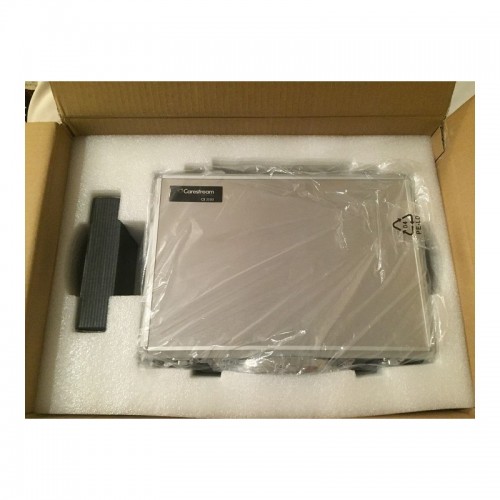
No More Excuses: Affordable Pricing, Substantial ROIThe perception of all-tissue laser technology as inaccessible to most dentists is beginning to dissipate. Even so, some dentists remain unconvinced.The reality, however, is that BIOLASE?s positioning of the MDX as an entry-level product, starting under $40,000, has made the technology much more affordable. Combining better and more efficient manufacturing with strategic sourcing of components results in pricing that most clinicians will view as extremely reasonable. In addition, the initial investment will be recouped with a substantial ROI, which can be realized via 3 main areas of application.1. For hard-tissue restorative dentistry? the ?bread and butter? of general practices?the MDX will enable faster, more efficient and, in most cases, virtually painless restorations for all cavity classes in both adults and children.2. The MDX allows dentists to retain patients who may have traditionally been referred out for osseous crown lengthening. Using the MDX, patients reap the benefits of considerably more comfortable soft-tissue procedures without the inconvenience of a referral, while the practice reaps the benefits of a happier and more loyal patient base.3. MDX provides an effective and efficient gateway into periodontics. Specifically, the MDX promotes deep pocket therapy with new attachment and is especially effective for minimally invasive removal of both subgingival inflamed tissue and calculus in patients with moderate to severe periodontal disease.Another DimensionBIOLASE?s comprehensive in-office and online training and support promise to render the learning curve extremely manageable. And, as intimidation is replaced by both comfort and confidence, clinicians will find that all-tissue laser technology will add a new and profitable dimension to their practices. | 3Shape TRIOS 3 Wireless Move Pen GripTRIOS is the world’s first intraoral scanner to offer a wireless option. 3Shape TRIOS 3 Wireless gives you the freedom to perform digital scans unrestricted by wires, optimizing comfort for both you and your patientsThe new 3Shape TRIOS MOVE is the ultimate patient/dentist communication tool. Show patients their digital scans and dynamic treatment information close-up, and create greater opportunities for treatment dialogue and joint decision-making.The ergonomic and lightweight design of TRIOS MOVE allows you to always position the screen in the right place, and enjoy superior user experience.Features of TRIOS MOVE;-13.3″ HD LCD Touchscreen – The perfect size when having it in front of a patient or working with up closeAdjustable arm- Bring the screen directly in front of the patient to involve them in the scanning process and the treatment planningPowerful custom PC designed for scanning – Specifically designed for use with all TRIOS 3 scanners to give a fast and smooth scan experience straight out of the boxFour wheels with integrated brakes – It is now very easy to move around the chair and from chair to chairEnhance comfort with wireless innovation.TRIOS is the world’s first intraoral scanner to offer a wireless option. 3Shape TRIOS 3 Wireless gives you the freedom to perform digital scans unrestricted by wires, optimizing comfort for both you and your patientsThe new 3Shape TRIOS MOVE is the ultimate patient/dentist communication tool. Show patients their digital scans and dynamic treatment information close-up, and create greater opportunities for treatment dialogue and joint decision-making.The ergonomic and lightweight design of TRIOS MOVE allows you to always position the screen in the right place, and enjoy superior user experience.Features of TRIOS MOVE : 3Shape TRIOS 3 Wireless Move Pen Grip 13.3" HD LCD Touchscreen - The perfect size when having it in front of a patient or working with up closeAdjustable arm- Bring the screen directly in front of the patient to involve them in the scanning process and the treatment planningPowerful custom PC designed for scanning - Specifically designed for use with all TRIOS 3 scanners to give a fast and smooth scan experience straight out of the boxFour wheels with integrated brakes - It is now very easy to move around the chair and from chair to chair. | CARESTREAM CS3500 INTRAORAL DIGITAL SCANNERThe CS 3500 intraoral scanner includes a light guidance system that aides in the capture of the data during the image acquisition process, allowing the user to place more focus on the patient’s mouth rather than the monitor.The end result is a highly precise digital impression of your patients’ mouth in a matter of minutes.The CS 3500 was introduced as part of the CS Solutions portfolio, a unique open CAD/CAM system. This open system gives users the option to either use images captured by the scanner to design and mill crowns in-house or share digital impression files with preferred labs to create restorations or orthodontic appliances.Features of Carestream CS3500 Intraoral Digital Scanner :– High angulation scanning
– Unique light guidance system
– Direct USB connection
– Disposable and autoclavable tips
– Virtually automatic bite registration
– 1024×768 image resolutionFacts Carestream CS 3500 Intraoral Scanner– Handheld and truly portable requiring no trolley and can be plugged into any computer via USB cable
– No traditional impression material or powder required
– Easy to use with a light guidance system that tells you when a scan is successful
– Compact ergonomic shape and slim scanner headBenefits of Carestream CS3500 Intraoral Digital Scanner :– Can quickly acquire a full arch of information
– Eliminates the need to painstakingly maneuver the scanner head in patients’ mouths
– Compatible with open system CAD software like Dental Wings, 3Shape, and Exocad
– Comfortable and easy for users to navigate around patients’ mouths, especially during full arch acquisitionsWith the CS 3500 intraoral scanner, practitioners can easily acquire precise true color, 2D and 3D digital impressions. The CS 3500 works as part of the integrated CS Solutions CAD/CAM restoration portfolio, or a standalone solution in a practice’s restorative workflow. Requiring no external heater or trolley system, the CS 3500 features high-angulation scanning of up to 45 degrees and to a depth from -2 to +13mm. Additionally, the CS 3500 features a unique light guidance system that aids in the capture of the data during the image acquisition process.The Carestream CS3500 Intraoral Digital Scanner also offers unique dedicated scanning workflows for both implant-borne prosthetic planning and orthodontic digital models and appliance fabrication.* Laptop Acquisition Computer and/or Carestream Software and License available for an additional charge.Features:CARESTREAM CS3500 INTRAORAL DIGITAL SCANNER- Faster Scan Speed
- Superb Digital Impressions
- Light Guidance System
- Portable for Easy Sharing
- Lightweight Handpiece
- Disposable and Autoclavable Tips
- Flexible Open System
- Dedicated Scanning Implant Workflow
| SIRONA XG3 Digital Panoramic X-Ray
The ORTHOPHOS XG 3 is designed for the general practice dentist who would like to work with a basic X-ray system. The XG 3 offers you an outstanding price-performance ratio and provides the following benefits:- High image quality
- Extremely simple operation
- Solid workmanship
Accurate positioningThe ORTHOPHOS XG 3 uses proven, logical Sirona principles for exceptional imaging:- Exact, immediate positioning of the anterior teeth in the focal layer
- Effective, comfortable patient stabilisation with forehead and temple supports to prevent motion blurring
Proven TechnologyThe advanced technology from the XG product family enables the ORTHOPHOS XG 3 to produce high quality diagnostic images.
The benefits include:- Specific focal layers and orbital paths for anatomically optimised exposures
- Very detailed display of the anterior tooth region through automatic kV adaption as X-ray beam passes through spinal region
- 16 bit image acquisition technology provides more gray scales
- SIDEXIS XG imaging software with useful analysis tools
Features:SIRONA XG3 Digital Panoramic X-Ray- High-quality, digital panoramic and TMJ imaging power with advanced patient communication tools
- Outstanding price-performance ratio for seamless transition from film to direct digital imaging
- Easy operation with the Multipad; effective, three-point patient stabilization for sharp images
- Direct network capability for exceptional connectivity
SIRONA ORTHOPHOS XG 3The horizontally and vertically reduced pediatric panoramic program offers outstanding image quality with the lowest dose. Ideal for practices that treat a lot of children. The unit’s easy operation and seamless integration into your practice’s daily routines will save you valuable time. The high image quality and proven Sidexis software guarantee that you will come to a safe diagnosis quickly and easily.Quality from the very startHigh quality. Durable. Safe: the Orthophos XG 3 X-ray unit is the perfect basic equipment for general dentists. The unit’s easy operation and seamless integration into your practice’s daily routines will save you valuable time. The high image quality and proven Sidexis software guarantees that you will reach a safe diagnosis quickly and easily.The positioning can be very easily reproduced since image parameters such as the bite block height are saved together with the image data. A bitewing program is available, which helps in special cases and patient situations where intraoral images cannot be used and a shorter panoramic program with a reduced dose, which is suitable for treating children, is also available. | Biolase Waterlase iplus LaserThe WaterLase iPlus all-tissue dental laser from the global leader in dental lasers is designed to deliver practice growth to dentists by offering an enhanced experience for patients, while raising the standard of overall reliability and quality for the #1-preferred all-tissue laser. Enhancing the patient experienceWaterLase iPlus is the latest addition to the WaterLase family, which has been striving to enhance the dental experience since 2001. With an estimated 27 million patients treated, more than 97% would recommend their WaterLase dentist to a friend – and WaterLase iPlus 2.0 offers a host of benefits that deliver an even better patient experience. Improvements to key components boost the availability of the laser when it’s needed most; and a new, minimally invasive laser therapy for periodontal disease offers dentists a clinical protocol that can generate excellent clinical outcomes and a vastly different type of patient experience versus traditional methods. SureFire Delivery System Biolase Waterlase iplus LaserWaterLase iPlus includes the all-new SureFire delivery system, with redesigned optics that can more efficiently deliver precise amounts of Er,Cr:YSGG laser energy to cut enamel, dentin and bone. The SureFire delivery system is optimized to provide the dentist with more up time with a replaceable, disposable shield that protects the vital optical components in the fiber, resulting in greater dependability. REPaiR for Reliably Treating PeriodontitisWaterLase iPlus offers new benefits to dentists and patients with the addition of REPaiR, the first Er,Cr:YSGG-based protocol for safe, effective treatment of moderate to severe periodontitis. It is an achievable, repeatable, minimally-invasive procedure that is less traumatic than traditional surgical techniques and delivers better and gentler experiences for patients. Clinically proven treatment for moderate to severe periodontitis Exclusive to WaterLase iPlus 2.0 Includes:Trunk Fiber 2 Hand Pieces (Turbo & Gold) Manual (DVD) Pair of Laser Goggles Air Line Power Cord Tip Cleaning Kit |




Reviews
There are no reviews yet.