| Description | The inEos X5 can be used to scan impressions and models of all or part of the jaw manually or automatically. The new operating concept increases flexibility for the dental technician so that the scanning process can be optimally integrated into the workflow of the laboratory. While the manual scanning mode saves time for simpler operations, the fully automatic scanning mode has its benefits especially with regard to extensive operations | The 3Shape D710 is optimized for scanning both the impression and gypsum models and enables high throughput for both advanced and standard indications. These innovative scanners are so easy to use that staff training is barely required. Item fixation is fast, and the scan starts with a click on the program. | 3Shape TRIOS MOVE is the ultimate patient/dentist communication tool. Show patients their digital scans and dynamic treatment information close-up and create greater opportunities for treatment dialogue and joint decision-making. The ergonomic and lightweight design of TRIOS MOVE allows you to always position the screen in the right place and enjoy superior user experience. | New Carestream Dental Intraoral Scanner Announced – the CS 3800A wireless intraoral scanner with high-performance experience | Cost-effective production
The inLab software positions your zirconium oxide restorations optimally in the material block – for efficient use of blocks, attractive unit prices and the best possible machine utilization, e.g. by milling or grinding overnight.
Wet grinding of sintered NPM blocks
“inLab goes metal.” With the inLab MC XL and the new inCoris CC sintered metal blocks you can handle a complete spectrum of metal and ceramic materials. The unique wet grinding function rules out any health risks. | The iTero Element Scanner is a digital impression system that eliminates the need for messy putty in your mouth.Improving iTero Intraoral ScannersWhile it’s already a leader in dental technology, iTero is constantly refining its intraoral scanning options. Its Element Itraoral Scanner, introduced in March 2015, captures 6,000 frames per second, up to 20 times faster than its predecessor. Its wand is also smaller and lighter, with in-built controls for more intuitive operation. Intraoral scanners from iTero are renowned for their accuracy, but the increased capture speed improves the company’s already impressive statistics. |
| Content | Sirona InLab InEos X5 Scanner
High-tech camera with many advantagesLike its predecessor inEos Blue, the fast scanning speed of the inEos X5 is unsurpassed. The large image field allows the camera to capture four to five teeth per image and an entire jaw with a total of five images. This is how it digitalizes one single crown in less than ten seconds, a three-unit bridge construction in only 30 seconds, as well as an entire jaw in less than one minute. A completely new optical system is used for the scan, which is based on the digital pattern projection: The considerably improved accuracy of less than 12 µm and the camera’s autofocus guarantee high-quality scan data that is also suitable for procedures that require the highest degree of accuracy, such as the most demanding implant operations. Due to the camera’s greater depth of definition, the inEos X5 can also capture the entire jaw including the palate, which makes it possible to create a digital construction of model casting works.Improved handling for new and experienced usersWith an innovative five-axis technology including rotation arm and intelligent scan planning, the inEos X5 positions and captures models with all indications automatically. This standardizes the images, eliminates user error and speeds up the imaging process. That means that new users in particular can digitalize traditional procedures without requiring significant training. Altogether, the inEos X5 stands out due to its easy handling: The large and open operating area allows all standard articulators to be positioned as well as quick access to the model. With the universal model and impression tray holder, all conventional model support and split cast systems, as well as impression trays in all sizes, can also be used. The multi-die scanning offers advantages in cases where the proximal contacts cannot be seen well and in the fabrication of frameworks and copings for single restorations. With this function, up to four prepared stumps can be positioned in a special holder and digitalized at the same time.
The inEos X5 has been available at retailers since May 2013. The list price including PC and inLab software as well as the OPEN inEos interface is EUR 19,990.Overview of new inEos X5 features:Sirona InLab InEos X5 Scanner- A combination of manual and fully automatic operation
- High accuracy
- Time savings and improved workflow due to the five-axis technology and autofocus
- Large scan field and good depth of definition
- Multi-die scanning for up to four individual stumps
- Universal model and articulator holders
- Easy handling
| 3shape D710 Dental Scanner3Shape D710 Scanner series can scan gypsum and impression versions. The series scanners can integrate into the clinic with minimum staff training. The scanners provide greater practice productivity, a comprehensive list of signals, and the most extensive 3D scans.Where flexibility and productivity are the key standards 3Shape chain scanners are for medium to large labs.The 3Shape D710 is optimized for scanning both the impression and gypsum models and enables high throughput for both advanced and standard indications. These innovative scanners are so easy to use that staff training is barely required. Item fixation is fast, and the scan starts with a click on the program.3SHAPE D710 For Sale3Shape D700 Scanner is both a scanner and impression scanner in 1 unit. It utilizes three measurement movement and two cameras a laser and creates another pass to especially hone. Just one device can be scanned by the apparatus in under 30 seconds and a whole model in about a minute with a degree of accuracy of 20 microns.Features:
-3-axis motion system
-Red-laser Tech
-Gypsum Version scanning
-Impression scanning Alternative
-Multi-die scanningBenefits:
-Easy operation, extreme Precision, and Rapid Scan
-Enables impressions, deep inlays, and Complete undercuts to scan Efficiently
-Supply labs Using ultra-efficient batches and multi-case processingHigh-speed scanning
The D710 is optimized for scanning gypsum and impression versions and enables high throughput for both advanced and standard indications3Shape – leading impression scanning technologies
3Shape’s patented adaptive scanning technology, combined with the scanner’s 3-axis motion and 2 cameras with reduced angle, facilitate the unique impression scanning capability.Adaptive scanning intelligently detects incomplete areas and automatically builds
adaptive scan sequences for capturing full object geometry. | 3Shape TRIOS MOVE Intraoral Scanning Setup3Shape TRIOS MOVE is the ultimate patient/dentist communication tool. Show patients their digital scans and dynamic treatment information close-up and create greater opportunities for treatment dialogue and joint decision-making. The ergonomic and lightweight design of TRIOS MOVE allows you to always position the screen in the right place and enjoy superior user experience. Introducing 3Shape TRIOS MOVE
 3Shape spoke to more than a hundred dentists and identified their biggest problem; having the screen in the right place to show patients their teeth and the treatment needed. We used this insight to create an ergonomic solution that ensures the screen is always in the right place to engage, excite and drive treatment acceptance with patients
The brand new hardware setup placed the 3Shape TRIOS 3 scanner, monitor, and PC on the lightweight, fully-adjustable, ergonomic 3Shape TRIOS MOVE. TRIOS MOVE’s mobility enables doctors to always position the screen in the right place to provide a superior experience for both dentists and patients. TRIOS MOVE is perfectly balanced and can be rolled effortlessly from operatory to operatory.All TRIOS 3 intraoral scanners, including the new 3Shape TRIOS 3 Wireless model, work seamlessly with TRIOS MOVE. The amazing TRIOS 3 scanners improve patient experience through remarkable scanning speed, and documented accuracy. Thanks to TRIOS MOVE, the digital impressions in realistic colors can easily be shown to your patients to engage and excite them about their treatment options. Use 3Shape TRIOS apps to give your patients insights into their dental health and proposed treatment plans.Provide better preventative care with 3Shape TRIOS Patient Monitoring*
Compare a patient’s scans between visits to monitor changes in their dental status, and identify a timely and effective care plan. Share the insights with your patient to gain acceptance for the treatment they really need. Show patients their future smile with 3Shape TRIOS Smile Design
Simply take a photo of your patient’s face, and easily create their new beautiful teeth in minutes. Share the photo-realistic image with your patient to excite them and advance treatment acceptance. Grow orthodontic treatments with 3Shape TRIOS Treatment Simulator*
Scan your patient and show their present dentition compared to the final results of orthodontic treatment to gain case approval. The best solution for the patient and the best satisfaction for the patient
We spoke to hundreds of dentists and discovered that they needed an easy way to get the screen positioned in the right place to share intraoral scans and images with patients. This is important, as seeing is believing and patients trust a dentist they believe in.With this insight, TRIOS MOVE was born, allowing you to easily share your digital scans, images, and treatment plan with patients. This helps patients picture their final results and ultimately, advance case acceptance.The new 3Shape TRIOS MOVE now places the 3Shape TRIOS intraoral scanner, monitor and PC on the lightweight, fully-adjustable, ergonomic 3Shape TRIOS MOVE. The mobility of the 3Shape TRIOS MOVE enables doctors to always position the screen in the right place. This provides a superior experience for both the orthodontist and patient and makes it easy to share dynamic treatment information close-up with patients to advance treatment dialogue and acceptance. 3Shape TRIOS MOVE is perfectly-balanced and can be rolled effortlessly.Professionals using the 3Shape TRIOS MOVE with TRIOS 3 Wireless additionally benefit from complete freedom of movement because there are no connecting cables between the wand and hardware. Features 3Shape TRIOS MOVE Intraoral Scanning Setup- 13.3″ Full HD touch LCD screen
- Adjustable arm & swiveling screen
- Powerful custom PC designed for scanning
- Apps designed to excite
- Four wheels with integrated brakes
- The perfect size for bringing in front of a patient or when working with up close.
Show scans easily, boost involvementOne of the challenges of working with intraoral scans is in organizing the physical space: how to position your screen in the right place to not only prepare and scan but also share your work? To help you solve this, we developed a TRIOS MOVE. It allows you to move your screen with digital scans, images, and simulated expected treatment outcomes to where the patient sits. This helps them picture their final results and ultimately, advance case acceptance. On top of that, it is more ergonomic for dentists Superior scanning technology, always where you need itAll TRIOS 3 intraoral scanners, including the new 3Shape TRIOS 3 Wireless model work seamlessly with TRIOS MOVE. The amazing TRIOS 3 scanners improve patient experience through remarkable scanning speed, and documented accuracy. Thanks to TRIOS MOVE, the digital impressions in realistic colors can easily be shown to your patients to engage and excite them about their treatment options. Our flexible TRIOS setup solution comes in two sizes: 15.6″ (MOVE+) and 13.3″ (MOVE). Both come with a stylus touch pen and a powerful 1TB PC, specially designed for scanning. They can be purchased in combination with TRIOS 3 Basic, TRIOS 3 and TRIOS 4. - TRIOS 3 Wireless scanner wand
- Charger incl. power cord
- Wall mount kit for the charger
- 3x batteries
- 5x TRIOS 3 scanner tips
- TRIOS 3 Protection tip
- TRIOS 3 Calibration tip
- TRIOS 3 Color Calibration kit
- TRIOS MOVE incl. power cord
- HEX S10 key (for foot assembly)
- Screwdrivers TX6 and TX8
- Ethernet cable
- 2x Fuses
- USB Dongle with software
- Documentation
Also available as a stand-alone accessory for all existing TRIOS 3 users. Can be used as a second scanning station or replacement for a PC/CARTCompatible with TRIOS 3 Mono, TRIOS 3 & TRIOS 3 Wireless in both, Pen or Handle grip | Carestream CS 3800 Dental Intraoral Scanner
With CS 3800, the time has come to restore your liberty.The CS 3800 offers dental practitioners a whole new experience in acquiring impressions: freedom. Freedom from cables, freedom to pursue their preferred workflow, freedom to pay only for what they use, and freedom to interact with their partners, how they prefer, when they prefer. And, as the result of a renewed collaboration with Studio F. A. Porsche, the CS 3800 displays a timeless, ergonomic design that ensures a high-performance scanning experience.Benefits at a glance Carestream CS 3800 Dental Intraoral Scanner- High-performance wireless intraoral scanner for optimal mobility and seamless user experience
- One of the lightest and most compact intraoral scanners of the market
- Faster and smoother scanning thanks to a larger and broader field of view and a deeper field of view
- Full control of intraoral capabilities right on the handpiece
- Ergonomic design by Studio F. A. Porsche
A renewed feat with Studio F. A. PorscheThe CS 3800 intraoral scanner is the result of an ongoing collaboration with Studio F. A. PorscheThis time, the design firm moved towards the idea of designing the scanner with optimal comfort based on the morphology of the human hand combined with fluid and organic lines. The handpiece is thus refined to fit naturally in the palm of the hand, no matter the grip.Dedicated WiFi ensures continuous and efficient scanningThe CS 3800 uses dedicated point-to-point WiFi access that instantly receives data transferred from the handpiece to the computer. It’s as easy as plugging in a WiFi dongle. Once connected, it’s immediately ready to receive a signal from the handpiece: the pairing maintains a robust and stable transmission band for a continuous and efficient scanning procedure.Powered by CS ScanFlowCS ScanFlow software is the acquisition software paired with the CS 3800. Free yourself from imposed procedures: there is no need to choose a workflow when starting to scan – simply grab the handpiece and scan, then decide later which indication to apply to the data set. A four-step process keeps you on track from beginning to end. | Sirona Cerec InLab MCXL Milling Unit
The inLab MC XL milling and grinding unit opens up the widest possible range of production options for your dental laboratory. You profit from high speed and precision. You can switch from grinding to milling in just a few simple steps. And thanks to the large milling volume and broad spectrum of applications, you will reap substantial economic benefits.
inLab MC XL
Large range of materials:
Processing of zirconium oxide, resin, silicate ceramics and NP-metal
High-speed milling:
For example, a four-unit zirconium oxide bridge can be completed in just 40 minutes
Large milling capacity: For restorations consisting of up to 12 units and ceramic blocks measuring 85 x 40 x 22 mm
Four milling motors: Flexible selection of milling burs for different materials
Milling and grinding: For high precision regardless of the materialand indication
Milling* of zirconium oxide and polymers
In addition to grinding, you can also mill zirconium oxide and polymers on the inLab MC XL. You benefit from an enhanced initial fit and a faster production process.Flexible and efficient Sirona Cerec InLab MCXL Milling UnitinLab MC XL is the fast wet milling and grinding unit with many production options for your dental laboratory. You benefit from high speed and precision and can switch from grinding to milling in just a few steps. The large selection of materials and many uses give you particularly flexible and efficient production options. inLab high-speed grindingGlass- and hybrid ceramic restorations can be produced at a previously unachievable speed with simultaneous double four-axis processing. A fully contoured Celtra Duo crown takes less than 10 minutes. This is a key success factor for potential new business models that can call for providing digital impression orders within an hour. Precision processingThe inLab MC XL is characterized by precise wet machining. Especially when processing glass ceramics, the grinders used can be as small as 0.6 mm — for restorations with maximum detail in the occlusal and interproximal areas and at the preparation margin. Wide selection of materialsAs with all CAD/CAM production units from Dentsply Sirona, inLab MC XL lets you benefit from a the large selection of materials. Dentsply Sirona CAD/CAM materials and those of our material partners are optimally adapted for high-speed processing. | iTero Element Intraoral Scanner
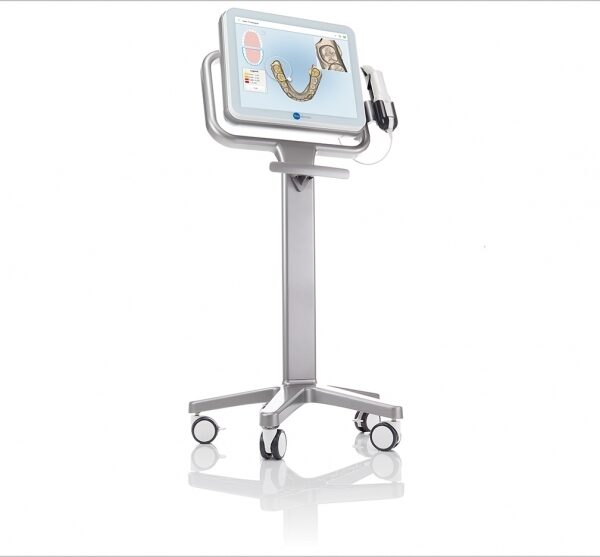
What Are iTero Intraoral Scanners?Intraoral scanners from iTero scan the mouths of patients, capturing images to create three-dimensional dental images in minutes. Intraoral scanners are simple to use and can be operated by one person. Their user-friendly nature helps dental professionals get the best results. The scans they produce are also more detailed than the traditional two-dimensional images they replace.Intraoral digital scans help dental professionals create accurate physical dental models for restorative work, including crowns, veneers, and implants. They also help orthodontists diagnose orthodontic problems and develop the best treatment plans.The company’s digital ecosystem software works seamlessly with its intraoral scanners, improving workflow for dental professionals working on orthodontic and restorative cases. However, unlike many early intraoral scanners, they are open systems. This feature gives dental professionals more flexibility about how they use their digital scan files. Intraoral digital scans from iTero scanners can be easily shared with other dental professionals and third-party providers such as Invisalign. When all relevant parties have the scans, they can communicate better to improve patient outcomes.What iTero Intraoral Scanners DoIntraoral scanners feature a wand, which the dental professional moves around a patient’s mouth. In the latest versions, the wand captures thousands of frames per second which are pieced together to create a three-dimensional visualisation of the patient’s mouth. The wands on iTero intraoral scanners are smaller than early intraoral scanners, allowing them to scan molars in the back of the mouth which were traditionally difficult to reach. Dental professionals using small wands also aren’t limited by how wide their patients can open their mouths. The small wands are also less likely to make patients gag than older forms of scanning technology.Intraoral scanners also have screens which display the digital dental images as they’re captured in real time. The screens show whether the scan is good or not before it’s saved and submitted to the lab. This feature can be a real time-saver for dental professionals who, in the past, could receive word from the lab two or three weeks later that their scans were inadequate. By providing immediate feedback, intraoral scanners can save dental professionals and patients time and frustration.Unlike many intraoral scanners, patients don’t need to cover their teeth in titanium dioxide powder before an iTero intraoral scan. This benefit further improves the scanning process for dental patients.How Intraoral Scanners Make Invisalign Orthodontics Easier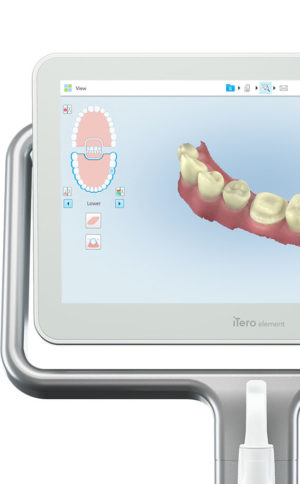 Invisalign clear aligners are one of the most popular teeth-straightening aids used today as they’re effective, removable, and virtually undetectable. Unlike many intraoral scanners, iTero intraoral scanners have open architecture which makes them compatible with the Invisalign system, including its Invisalign Outcome Simulator. Orthodontists can scan their patients’ mouths with an iTero intraoral scanner, then show them how their Invisalign treatment will look. This technology improves the patient experience because patients can know what to expect and feel more confident in their diagnosis and treatment plan. It also makes the ClinCheck setup three times faster.After setup, speed is still on the iTero intraoral scanners’ side. iTero states ClinCheck treatment plans submitted with its scans are usually posted to the Invisalign Doctor Site three times faster than traditional polyvinyl siloxane scans. As a result, your Invisalign aligners are created and posted back to your orthodontist sooner so that you can start treatment faster. Since the iTero intraoral scanning system is open, orthodontists can also send the scan files to any laboratory of their choosing for the creation of a retainer, which reinforces your treatment after the Invisalign process, and other dental tools.Orthodontists can also create better Invisalign treatment plans for their patients using iTero intraoral scans. Align Technology research shows orthodontists who use the scans have 10 times fewer rejections and seven times fewer issues with the fit of the Invisalign aligners. These results may be because iTero intraoral scanners can help orthodontists track their patients’ progress. Regular scans throughout Invisalign treatment can help orthodontists compare expected outcomes with results. If results aren’t as expected, orthodontists can use the scans to educate their patients about their treatment and the importance of complying with their recommendations.Improving iTero Intraoral Scanners iTero Element Intraoral ScannerWhile it’s already a leader in dental technology, iTero is constantly refining its intraoral scanning options. Its Element Itraoral Scanner, introduced in March 2015, captures 6,000 frames per second, up to 20 times faster than its predecessor. Its wand is also smaller and lighter, with in-built controls for more intuitive operation. Intraoral scanners from iTero are renowned for their accuracy, but the increased capture speed improves the company’s already impressive statistics. Invisalign clear aligners are one of the most popular teeth-straightening aids used today as they’re effective, removable, and virtually undetectable. Unlike many intraoral scanners, iTero intraoral scanners have open architecture which makes them compatible with the Invisalign system, including its Invisalign Outcome Simulator. Orthodontists can scan their patients’ mouths with an iTero intraoral scanner, then show them how their Invisalign treatment will look. This technology improves the patient experience because patients can know what to expect and feel more confident in their diagnosis and treatment plan. It also makes the ClinCheck setup three times faster.After setup, speed is still on the iTero intraoral scanners’ side. iTero states ClinCheck treatment plans submitted with its scans are usually posted to the Invisalign Doctor Site three times faster than traditional polyvinyl siloxane scans. As a result, your Invisalign aligners are created and posted back to your orthodontist sooner so that you can start treatment faster. Since the iTero intraoral scanning system is open, orthodontists can also send the scan files to any laboratory of their choosing for the creation of a retainer, which reinforces your treatment after the Invisalign process, and other dental tools.Orthodontists can also create better Invisalign treatment plans for their patients using iTero intraoral scans. Align Technology research shows orthodontists who use the scans have 10 times fewer rejections and seven times fewer issues with the fit of the Invisalign aligners. These results may be because iTero intraoral scanners can help orthodontists track their patients’ progress. Regular scans throughout Invisalign treatment can help orthodontists compare expected outcomes with results. If results aren’t as expected, orthodontists can use the scans to educate their patients about their treatment and the importance of complying with their recommendations.Improving iTero Intraoral Scanners iTero Element Intraoral ScannerWhile it’s already a leader in dental technology, iTero is constantly refining its intraoral scanning options. Its Element Itraoral Scanner, introduced in March 2015, captures 6,000 frames per second, up to 20 times faster than its predecessor. Its wand is also smaller and lighter, with in-built controls for more intuitive operation. Intraoral scanners from iTero are renowned for their accuracy, but the increased capture speed improves the company’s already impressive statistics. |




Reviews
There are no reviews yet.