| Description | By Sirona has remained the preferred CAD/CAM technology of dentists worldwide for the fabrication of all-ceramic dental restorations in a single treatment appointment. CEREC is proven by hundreds of clinical studies and is offered by thousands of dentists to millions of patients around the world each year. It also has the broadest restorative range of any dental CAD/CAM system on the market. Proven performance, unrivalled success, and unequalled capabilities have made CEREC the number one dental CAD/CAM choice for over 30 years. | The i500 intraoral scanner, exemplifies three qualities:
Value, Efficiency, and ProductivityPerfect software and hardware combination:
Value, Efficiency, and ProductivityOne Software to connect them all | CEREC now provides a completely new process to dental practices: by combining the new CEREC SpeedFire furnace and CEREC Zirconia material, dentists can now deliver full contour crowns and small bridges made of the full-strength high-quality zirconium oxide in their own practice while the patient waits. | The 3Shape D710 is optimized for scanning both the impression and gypsum models and enables high throughput for both advanced and standard indications. These innovative scanners are so easy to use that staff training is barely required. Item fixation is fast, and the scan starts with a click on the program. | Intelligent Machine. Effortless Production. Superior Results.
The DGSHAPE DWX-42W enables wet milling of popular glass ceramic and composite resins with high precision and accuracy.- High speed production with proprietary DGSHAPE spindle
- Expanded 6-tool Automatic Tool Changer for uninterrupted milling
- LAN capable for easy connectivity
- Included VPanel for easy monitoring of milling jobs and tools
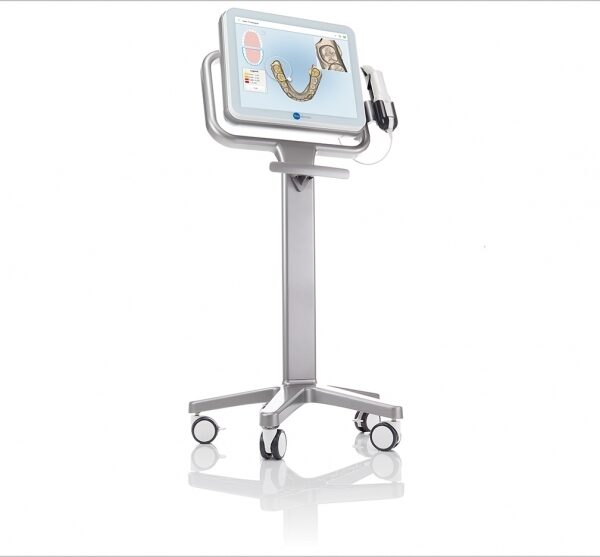
| The iTero Element Scanner is a digital impression system that eliminates the need for messy putty in your mouth.Improving iTero Intraoral ScannersWhile it’s already a leader in dental technology, iTero is constantly refining its intraoral scanning options. Its Element Itraoral Scanner, introduced in March 2015, captures 6,000 frames per second, up to 20 times faster than its predecessor. Its wand is also smaller and lighter, with in-built controls for more intuitive operation. Intraoral scanners from iTero are renowned for their accuracy, but the increased capture speed improves the company’s already impressive statistics. |
| Content | SIRONA Cerec Omnicam+MCXL Milling
Single Appointment Dental Care
Most dental restorative methods require more than one visit to the dentist. This means that on the first visit, you get an injection of anaesthesia, your tooth prepared, an impression taken, and a temporary restoration put on your tooth. You make a second appointment for a couple of weeks later, get another injection, have the temporary pried off (if it hasn’t fallen off already), and have a permanent restoration put on. With CEREC, the procedure is done in a single appointment, start to finish. No temporary restorations. Now with CEREC Omnicam,MC XL Inlab milling unit and sinter and crystallisation ovens, 3-4 unit bridges can be fabricated in a day.Finest Dental Materials
A CEREC tooth restoration isn’t just convenient, it is also healthy. Many years ago, dentists had few options to repair decayed and damaged teeth other than amalgam, gold, and other metals. With CEREC, your dentist can use strong, tooth coloured ceramic materials to restore your teeth to their natural strength, beauty, and function. These materials closely match the composition of natural tooth structure. The materials are chemically bonded to your tooth, so your dentist can save as much healthy tooth tissue as possible while providing you with a dental restoration that strengthens your tooth. Using metal free materials that are the closest to your natural enamel, CEREC gives you the highest quality restorative care.Smile Enhancement SIRONA Cerec Omnicam+MCXL Milling
We use CEREC for more than just crowns. CEREC Omnicam and the MC XL inlab milling unit is capable of producing any single tooth restoration, implant abutments and up to 9 unit bridges. Chipped or discoloured front teeth can be repaired with beautiful CEREC porcelain anterior crowns or veneers. Your smile makes a lasting first impression. Enhance it with CEREC.Your dentist is in complete control of the final result
Since the crown, inlay, onlay or veneer is designed and fabricated from start to finish by your dentist, he has total control over how it will look and fit.No temporary restorations
With Cerec your restorations are placed in a single appointment. If you have lab made veneers you would require temporary veneers during the wait whilst your new teeth are being made by the technician. These have been known to fall off and cause problems. This step is eliminated with CEREC restorations.Crystallisation, characterisation and glaze ovens
In certain circumstances it may be necessary to customise your restorations to blend in with your natural neighbouring teeth. This is accomplished by adding colouring stains to your restoration and firing it in an oven before the final glazing is done.
Glazing gives the restoration a very smooth and shiny surface texture, enhancing optimum oral hygiene.
Sinter ovens are used to harden and bake zirconium materials for implant abutments and bridge frameworks. | Medit i500 Intraoral ScannerOur Intraoral Scanner Delivers: Value, Efficiency, and Productivity
Together, these three qualities make it easy to incorporate our intraoral scanner into your workflow. Designed with quality in mind, we created the i500 to add value to your practice. Regardless of specialization the i500 ensures that professional needs are met, workflows are optimized, and flexibility is guaranteed.High ROI
An unparalleled performance combined with a competitive price delivers exceptionally fast return on investmentFlexibility
An open system for integrated CAD/CAM workflow allows for the export of STL files for easy file transfer and thus optimized collaborationImpressive Speed
Intelligent scan-detecting algorithm with two high-speed cameras for quick and efficient intraoral scanningPowderless
No need for powder in most regular cases, allowing for a seamless scanning process and increased patient comfortHigh Accuracy
Single crown* :Trueness (Accuracy) = 5.1 μm (±0.49 μm)
Precision (Consistency) = 3.2 μm (±0.74 μm)*Single crown accuracy test was conducted by Medit according to the methods in “Evaluation of the Accuracy of Six Intraoral Scanning Devices: An in-vitro Investigation. ADA Professional Product”
SPECIFICATION | Tip | 18 x 15.2 mm (WxH) | | Overall handpiece length | 266 mm | | Weight | 276g | | Imaging technology | 3D-in-motion video technology | | Color | 3D full color streaming capture | | Connectivity | USB 3.0 | | Scanning FOV | 14 x 13 mm |
The Medit i500 intraoral scanner delivers efficiency, productivity, and affordability.This scanner has been designed with quality in mind to add value to your practice. With its fast speed and powderless system, it allows for a smoother, more efficient scanning experience.The Medit Link software and hardware with workflow management and communication software will enhance and support your everyday CAD performance. Completed with integrated cloud storage and open data architecture. - Scanning for iOS in real time
- High-speed continuous scanning
- Color structure of the surface in the resolution of Full HD 3D
- Quick scan
- Natural color transfer
- Capturing UHD images (SR virtual viewer)
- Real-time 3D visualization (15 FPS 3D Data)
- Without using a spray
- Diagnostic image 2D
- Open file format (.stl)
- Scanner with the smallest size of the scanning module
| Sirona CEREC Zirconia SpeedFire Milling Unit
High strength, short manufacturing process
The greatest benefit of CEREC Zirconia is the high flexural strength of the material. It is suitable for individual crowns as well as small bridges and can be processed in thin wall thicknesses. Since these restorations are manufactured in monolithic form, there is no risk of chipping. Another benefit for dentists is that zirconium oxide can be cemented conventionally.CEREC Zirconia is a pre-shaded translucent zirconium oxide available in 10 shades on the basis of the VITA Classic Shade Guide®. The material is milled in an enlarged form and then densely sintered to its final size in the new sintering furnace CEREC Speed-Fire. The oversized milling facilitates a new level of milling accuracy leading to superb, precisely fitting restorations. The sintering process takes just 10-15 minutes for crowns and 25 minutes for bridges. The subsequent glaze firing gives the restoration a high gloss finish.The short process to produce CEREC Zirconia restorations is both convenient and economical. With this market launch, all CEREC milling/grinding units now provide wet and dry milling. Dry milling reduces the overall processing time for zirconia and, combined with the world’s fastest sintering cycles, enables the chairside procedure.The workflow is easy to learn since the CEREC Software 4.4.1 guides the dentist through the entire process, and even sends the sintering and glazing information to the furnace. No programming of the furnace is required – it is all handled automatically by the software. A high-performance material and a specially tailored workflow ensure a simple process and high-quality treatment.
CEREC meets patients’ needsSirona CEREC Zirconia SpeedFire Milling UnitEighty three percent of patients in a recent survey said they prefer single visit dentistry to traditional treatment. The majority said they would even be willing to pay more for single visit dentistry. Two thirds indicated they’d be happy to travel further than they currently do, in order to receive treatment in one session. Another two thirds said they would even be prepared to change their dentist. The advantages of single visit dentistry are obvious: Patients avoid impression material, receive fewer anesthetics and don’t need a temporary. Reducing the number of visits, injections and making the overall prosthetic procedure more comfortable influences patients to opt for treatment with CEREC.In addition to CEREC Zirconia, many other high-performance materials can be processed with CEREC. The range of materials with CEREC also expands clinical indications since the dentist can easily select the material suited for each indication.
Investment for a successful futureThere have always been good reasons to start using digital dentistry with CEREC. CEREC Zirconia completes the range of indications for chairside application for nearly
every situation, thus giving dentists greater choice and allowing them to increase the value of their practice’s offering.It is obvious that advanced technologies in automobiles, computers and smartphones make our daily lives easier. CEREC is also a technology that further develops a dental practice and can make it well positioned for the future. Especially now, as the system is highly flexible, it enables dentists to expand their offering in implant dentistry and orthodontics. | 3shape D710 Dental Scanner3Shape D710 Scanner series can scan gypsum and impression versions. The series scanners can integrate into the clinic with minimum staff training. The scanners provide greater practice productivity, a comprehensive list of signals, and the most extensive 3D scans.Where flexibility and productivity are the key standards 3Shape chain scanners are for medium to large labs.The 3Shape D710 is optimized for scanning both the impression and gypsum models and enables high throughput for both advanced and standard indications. These innovative scanners are so easy to use that staff training is barely required. Item fixation is fast, and the scan starts with a click on the program.3SHAPE D710 For Sale3Shape D700 Scanner is both a scanner and impression scanner in 1 unit. It utilizes three measurement movement and two cameras a laser and creates another pass to especially hone. Just one device can be scanned by the apparatus in under 30 seconds and a whole model in about a minute with a degree of accuracy of 20 microns.Features:
-3-axis motion system
-Red-laser Tech
-Gypsum Version scanning
-Impression scanning Alternative
-Multi-die scanningBenefits:
-Easy operation, extreme Precision, and Rapid Scan
-Enables impressions, deep inlays, and Complete undercuts to scan Efficiently
-Supply labs Using ultra-efficient batches and multi-case processingHigh-speed scanning
The D710 is optimized for scanning gypsum and impression versions and enables high throughput for both advanced and standard indications3Shape – leading impression scanning technologies
3Shape’s patented adaptive scanning technology, combined with the scanner’s 3-axis motion and 2 cameras with reduced angle, facilitate the unique impression scanning capability.Adaptive scanning intelligently detects incomplete areas and automatically builds
adaptive scan sequences for capturing full object geometry. | Roland DWX-42W Wet Dental Milling Machine
The DWX-42W enables wet milling of popular glass-ceramic composite resins with high precision and accuracy. High-Speed Production with proprietary DGSHAPE spindle. Expanded 6-tool Automatic Tool Changer for uninterrupted milling. LAN capable for network and hardware connection and communication. VPanel user interface for easy monitoring of milling jobs and tools.The DGSHAPE DWX-42W enables wet milling of popular glass ceramic and composite resins with high precision and accuracy.- High speed production with proprietary DGSHAPE spindle
- Expanded 6-tool Automatic Tool Changer for uninterrupted milling
- LAN capable for easy connectivity
- Included VPanel for easy monitoring of milling jobs and tools
DWX-42W Roland DWX-42W Wet Dental Milling Machine| Millable material | Glass ceramics, Composite resin, PMMA | | Loadable workpiece shape | Width | Maximum 40 mm | | Depth | Maximum 20 mm | | Height | Maximum 20 mm | | Operating speed | 0.24 to 70.9 in./min. (6 to 1,800 mm/min.) | | Spindle speed | 15,000 to 60,000 rpm | | Rotary axis travel angle | A axis | ±360° | | Number of burs housed | 6 | | Attachable bur | Shank diameter | 3 mm, dedicated milling bur | | Compatible compressed air | Control Pressure | 0.3 MPA or more | | Air Capacity | 39 L/min or more | | Interface | USB, Ethernet (10 BASE-T/100 BASE-TX automatic switching) | | Control command set | RML-1, NC code | | Power requirements | AC 100 to 240 V ± 10%, 50/60 Hz (overvoltage category II, IEC 60664-1), 2.1 A | | Power consumption | Approximately 190 W | | Operating noise | During operation | 70 dB(A) or less (when not cutting) | | During standby | 48 dB(A) or less | | External dimensions | Width x Depth x Height | 19.0 x 22.0 x 23.6 in. (482 x 560 x 600 mm) | | Weight | 135 lbs. (61 kg) | | Installation environment | Indoor use, Altitude | Up to 6,562 ft. (2,000m) | | Temperature | 41 to 82 °F (5 to 28°C) | | Humidity | 35 to 80%RH (no condensation) | | Ambient pollution degree | 2 (as specified by IEC 60664-1) | | Short-term temporary overvoltage | 1,440 V | | Long-term temporary overvoltage | 490 V | | Included items | Power cord, USB cable, Roland DG Software Package CD, setup guide, drain hoses, dedicated milling burs (4), detection pin, dummy pin, rotary axis correction jig, ATC magazine correction jig and screw, hexagonal screwdriver, hexagonal wrench, measuring cup, mounting screws (4), milling bur removal jig, coolant tank, waste receptacle, filters (2), regulator with stay and screws (2), maintenance kit, daily maintenance card, 6 mm air hose, coolant additive, MillBox CAM software, Ethernet cable |
| iTero Element Intraoral Scanner
What Are iTero Intraoral Scanners?Intraoral scanners from iTero scan the mouths of patients, capturing images to create three-dimensional dental images in minutes. Intraoral scanners are simple to use and can be operated by one person. Their user-friendly nature helps dental professionals get the best results. The scans they produce are also more detailed than the traditional two-dimensional images they replace.Intraoral digital scans help dental professionals create accurate physical dental models for restorative work, including crowns, veneers, and implants. They also help orthodontists diagnose orthodontic problems and develop the best treatment plans.The company’s digital ecosystem software works seamlessly with its intraoral scanners, improving workflow for dental professionals working on orthodontic and restorative cases. However, unlike many early intraoral scanners, they are open systems. This feature gives dental professionals more flexibility about how they use their digital scan files. Intraoral digital scans from iTero scanners can be easily shared with other dental professionals and third-party providers such as Invisalign. When all relevant parties have the scans, they can communicate better to improve patient outcomes.What iTero Intraoral Scanners DoIntraoral scanners feature a wand, which the dental professional moves around a patient’s mouth. In the latest versions, the wand captures thousands of frames per second which are pieced together to create a three-dimensional visualisation of the patient’s mouth. The wands on iTero intraoral scanners are smaller than early intraoral scanners, allowing them to scan molars in the back of the mouth which were traditionally difficult to reach. Dental professionals using small wands also aren’t limited by how wide their patients can open their mouths. The small wands are also less likely to make patients gag than older forms of scanning technology.Intraoral scanners also have screens which display the digital dental images as they’re captured in real time. The screens show whether the scan is good or not before it’s saved and submitted to the lab. This feature can be a real time-saver for dental professionals who, in the past, could receive word from the lab two or three weeks later that their scans were inadequate. By providing immediate feedback, intraoral scanners can save dental professionals and patients time and frustration.Unlike many intraoral scanners, patients don’t need to cover their teeth in titanium dioxide powder before an iTero intraoral scan. This benefit further improves the scanning process for dental patients.How Intraoral Scanners Make Invisalign Orthodontics Easier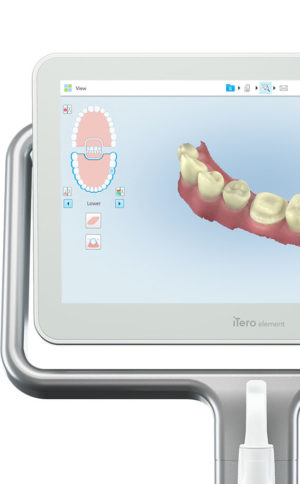 Invisalign clear aligners are one of the most popular teeth-straightening aids used today as they’re effective, removable, and virtually undetectable. Unlike many intraoral scanners, iTero intraoral scanners have open architecture which makes them compatible with the Invisalign system, including its Invisalign Outcome Simulator. Orthodontists can scan their patients’ mouths with an iTero intraoral scanner, then show them how their Invisalign treatment will look. This technology improves the patient experience because patients can know what to expect and feel more confident in their diagnosis and treatment plan. It also makes the ClinCheck setup three times faster.After setup, speed is still on the iTero intraoral scanners’ side. iTero states ClinCheck treatment plans submitted with its scans are usually posted to the Invisalign Doctor Site three times faster than traditional polyvinyl siloxane scans. As a result, your Invisalign aligners are created and posted back to your orthodontist sooner so that you can start treatment faster. Since the iTero intraoral scanning system is open, orthodontists can also send the scan files to any laboratory of their choosing for the creation of a retainer, which reinforces your treatment after the Invisalign process, and other dental tools.Orthodontists can also create better Invisalign treatment plans for their patients using iTero intraoral scans. Align Technology research shows orthodontists who use the scans have 10 times fewer rejections and seven times fewer issues with the fit of the Invisalign aligners. These results may be because iTero intraoral scanners can help orthodontists track their patients’ progress. Regular scans throughout Invisalign treatment can help orthodontists compare expected outcomes with results. If results aren’t as expected, orthodontists can use the scans to educate their patients about their treatment and the importance of complying with their recommendations.Improving iTero Intraoral Scanners iTero Element Intraoral ScannerWhile it’s already a leader in dental technology, iTero is constantly refining its intraoral scanning options. Its Element Itraoral Scanner, introduced in March 2015, captures 6,000 frames per second, up to 20 times faster than its predecessor. Its wand is also smaller and lighter, with in-built controls for more intuitive operation. Intraoral scanners from iTero are renowned for their accuracy, but the increased capture speed improves the company’s already impressive statistics. Invisalign clear aligners are one of the most popular teeth-straightening aids used today as they’re effective, removable, and virtually undetectable. Unlike many intraoral scanners, iTero intraoral scanners have open architecture which makes them compatible with the Invisalign system, including its Invisalign Outcome Simulator. Orthodontists can scan their patients’ mouths with an iTero intraoral scanner, then show them how their Invisalign treatment will look. This technology improves the patient experience because patients can know what to expect and feel more confident in their diagnosis and treatment plan. It also makes the ClinCheck setup three times faster.After setup, speed is still on the iTero intraoral scanners’ side. iTero states ClinCheck treatment plans submitted with its scans are usually posted to the Invisalign Doctor Site three times faster than traditional polyvinyl siloxane scans. As a result, your Invisalign aligners are created and posted back to your orthodontist sooner so that you can start treatment faster. Since the iTero intraoral scanning system is open, orthodontists can also send the scan files to any laboratory of their choosing for the creation of a retainer, which reinforces your treatment after the Invisalign process, and other dental tools.Orthodontists can also create better Invisalign treatment plans for their patients using iTero intraoral scans. Align Technology research shows orthodontists who use the scans have 10 times fewer rejections and seven times fewer issues with the fit of the Invisalign aligners. These results may be because iTero intraoral scanners can help orthodontists track their patients’ progress. Regular scans throughout Invisalign treatment can help orthodontists compare expected outcomes with results. If results aren’t as expected, orthodontists can use the scans to educate their patients about their treatment and the importance of complying with their recommendations.Improving iTero Intraoral Scanners iTero Element Intraoral ScannerWhile it’s already a leader in dental technology, iTero is constantly refining its intraoral scanning options. Its Element Itraoral Scanner, introduced in March 2015, captures 6,000 frames per second, up to 20 times faster than its predecessor. Its wand is also smaller and lighter, with in-built controls for more intuitive operation. Intraoral scanners from iTero are renowned for their accuracy, but the increased capture speed improves the company’s already impressive statistics. |




Reviews
There are no reviews yet.