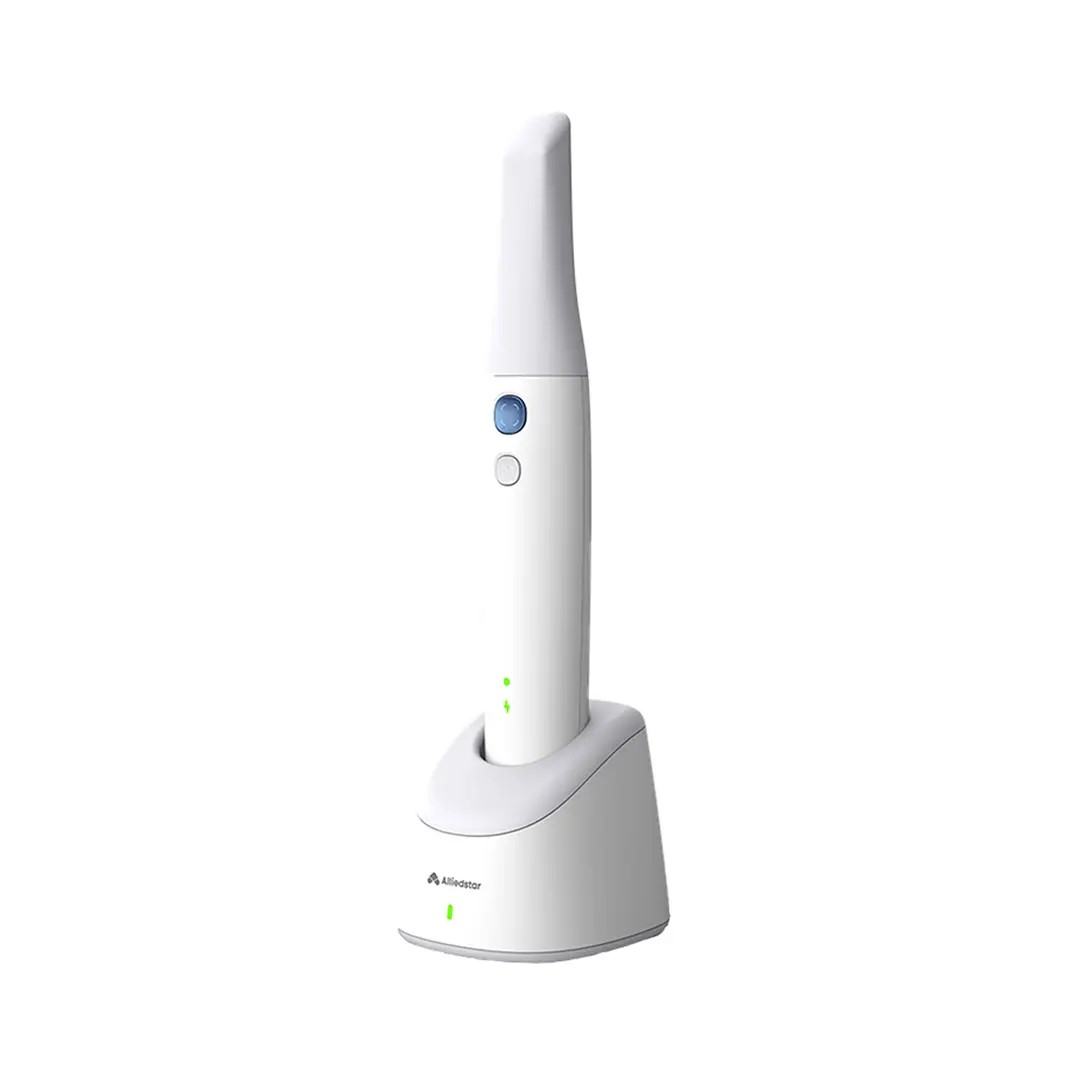
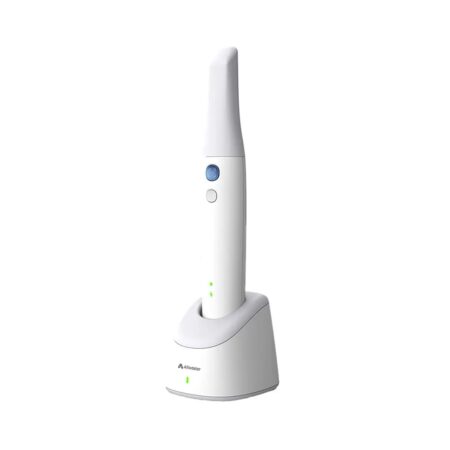
| Description | The next generation Alliedstar Sensa wireless intraoral scanner step into a new era of intraoral scanning with our cutting-edge device designed for precision, comfort, and efficiency. Its lightweight, shockproof build ensures durability while maintaining ease of use, featuring one-size-fits-all tips for a seamless fit. | TRIOS Color automatically measures the teeth shades as you scan. The dentist has the option to evaluate and highlight relevant areas for the lab. The complete shade information sis sent to the lab together with the impression. | Designed for fast and efficient diode laser procedures, the Epic X diode laser features cutting edge software, and a cordless foot pedal. It is capable of a full range of soft tissue procedures as well as laser-assisted whitening and pain relief therapy. An enhanced ComfortPulse setting is designed to improve patient comfort, and with new preinitiated tips, the laser is ready for treatment in as little as 2 seconds. | BRAND NEW 3Shape Trios Cart T12A dental impression intraoral 3D scanner, it is new in the original crate with all accessories including scanner, wand and tips and has never been used. | iTero Element 2 Intraoral Scanner includes an ergonomic, based cradle and delivers imaging precision in a compact footprint using tools that are strong.Together, we can streamline your workflow.- Restorative and orthodontic workflows
- Optimized Invisalign connectivity
- Visualization tools
- Chairside milling integration
| Explore Planmeca PlanScan – the first dental unit integrated intraoral scanner for digital 3D impressions. This high-performance intraoral scanning solution can also be connected to your laptop. |
| Content | Alliedstar Sensa Wireless Intraoral Scanner
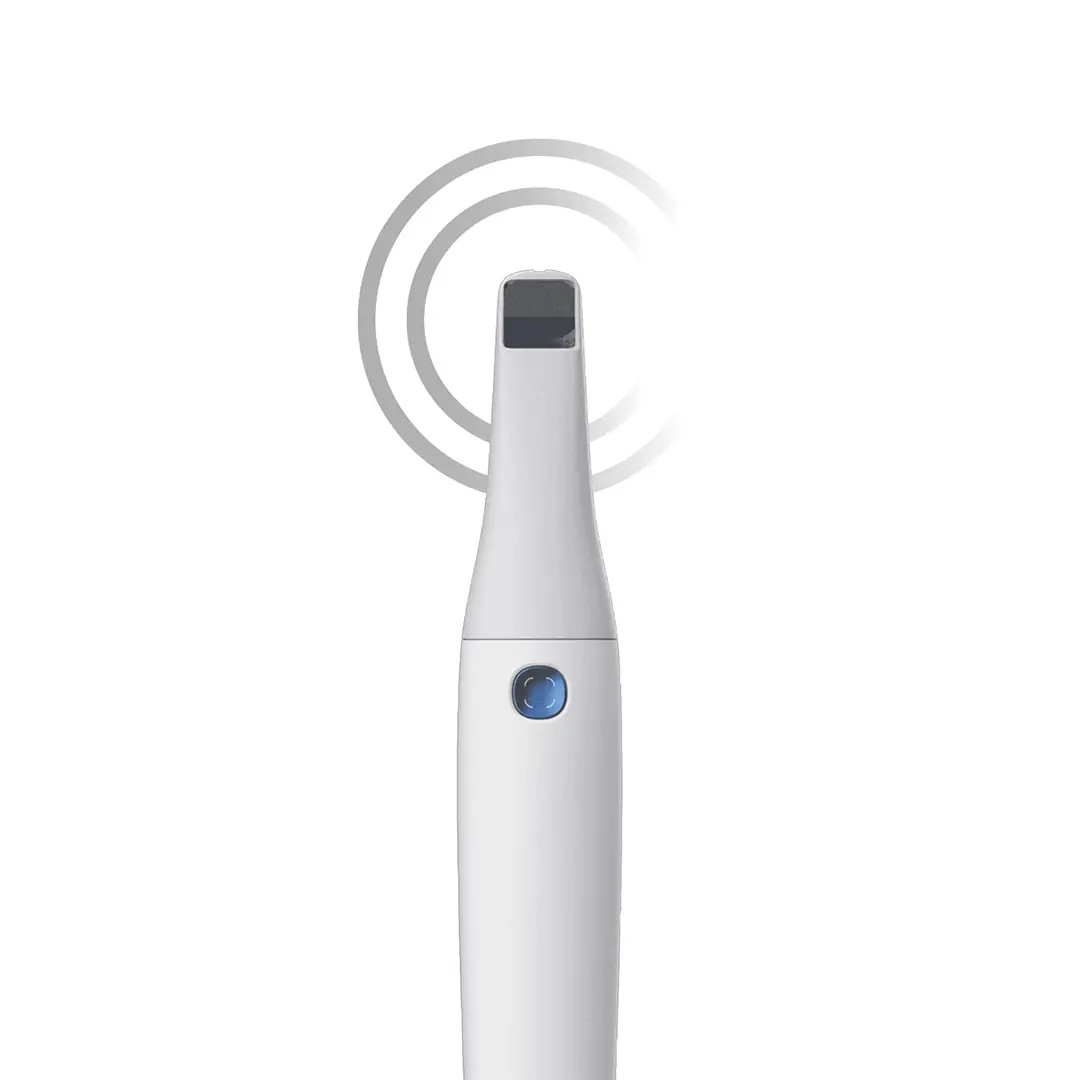
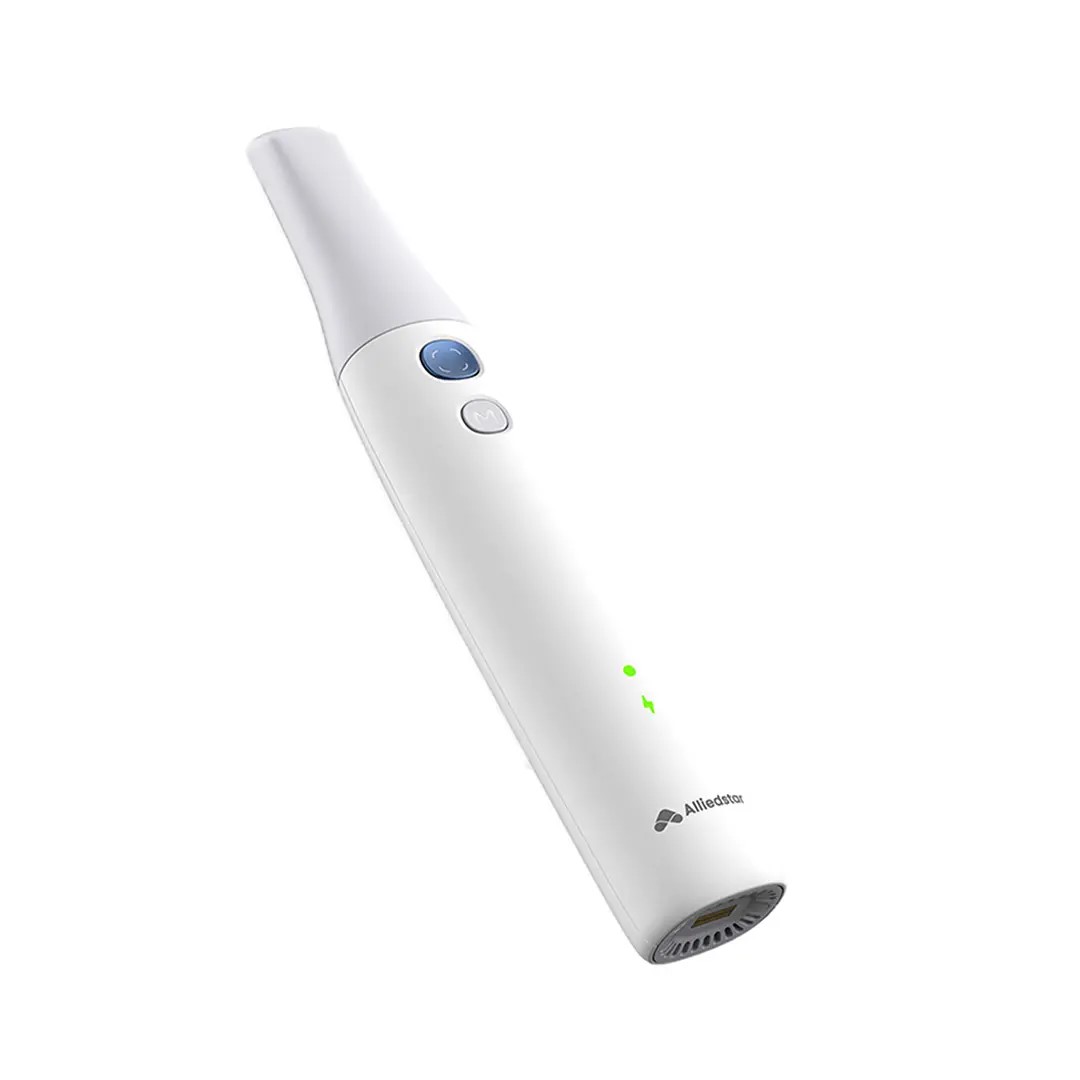
Alliedstar Sensa Wireless Intraoral Scanner new scanner is a complete redesign of its IOS line, moving away from the look of its predecessors to a modern, ergonomic design. No interchangeable battery. Futuristic design and tubular body.Powered by AI technology, this scanner provides live scan guidance, graded scan quality detection, and generates oral health reports to enhance patient engagement and streamline clinical workflows.Wireless Freedom
Enjoy a stable 10 m wireless range with fast, smooth data transmission for truly unrestricted movement at the chairside.Long-Lasting Power
Scan continuously for 3 hours on a single charge, with a 6-month standby battery life and rapid 3-minute charging for a full case scan.Smart Power Management
3 hours of continuous scanning on a full charge
A solid 6-month standby battery life
Fast charge in 3 minutes for a full-case scanCompact & Shock-Resistant Design
Lightweight yet durable body with shockproof construction for everyday clinical use; one-size-fits-all tips simplify operation and maintenance.AI-Enhanced Workflow
Real-time scan guidance, graded scan quality feedback, and AI-generated oral health reports enhance accuracy and patient communication.AS Connect Cloud Platform
A one-stop digital gateway for case and patient management — featuring an intuitive dashboard, data synchronization, 3D web viewer, and secure cloud storage space for seamless collaboration.Simple Integration
Designed for compatibility, the Alliedstar scanner integrates seamlessly with most CAD/CAM systems and dental software. Because the brand knows you need open communication and connectivity, they’ve opened their architecture so you can confidently send the edited impressions to labs, knowing that they are accurate and reliable.Scanpro Software
Scanpro software is included with your purchase, with no monthly subscription or fees! The founders of Alliedstar relied upon their experience in IOS, and image management software in particular, when designing their intraoral scanners. That’s why they’ve delivered a streamlined, affordable product with all the essentials and no extraneous features that are rarely relied upon in an actual dental practice. | 3Shape Trios 3 Pod ColorNew ! 3Shape TRIOS Color POD Digital impressions3Shape TRIOS Pod is a new configuration solution and an alternative to the TRIOS cart. It enables scanning with the TRIOS handheld scanner and software using selected laptop PCs. The solution offers a high degree of mobility and flexibility for dentists working in multiple locations or for clinics with limited space. The TRIOS Pod lets users control scanning from an iPad or mirror the 3D view on other displays in the clinic such as monitors integrated in the chair.Connect to your laptop or PC
Use the Pod with your laptop or the PC in your treatment room. Simply connect to the USB port and start scanning.FEATURES : 3Shape Trios 3 Pod Color
– RealColor scans with many clinical advantages: With TRIOS color you can scan in natural colors to clearly distinguish between teeth, gingiva, and restorative materials. Easily identify true preparation margins and improve scanning experience.
– Powder-free for optimal accuracy and comfort: Applying powder is technique demanding, can ruin scan accuracy, is uncomfortable for patients, and prolongs chair time.
– Autoclaveable tip with anti-mist heater: Achieve optimal hygiene and meet clinical requirements. The integrated antimist heater automatically ensures an optimal temperature for undistorted and crystal clear scanning.
– Extreme Mobility: The light and handy Pod solution is easy to share among treatment rooms or different locations
– Use your iPad with scanning: Control TRIOS from your iPad or mirror the live 3D view directly on other displays in the clinic such as monitors integrated in the chair.
– Connect to multiple laptops or PCs: Use with laptops, PCs in your treatment rooms, or with the PCs integrated in your chair units. Simply connect to the USB port and start scanning. Note: Use with approved PCs.
– Small footprint: The compact TRIOS Pod can be placed anywhere in the treatment room or even in rooms where space is very limited.Included : Mac laptop | Biolase EPIC X Diode LaserSurgery, Whitening and Pain Relief — All at Your Fingertips:- Portable for easy transport (no more cords)
- Intuitive procedure based Interface
- Fastest in-office whitening treatment
- ComfortPulse™ technology to limit heat production
- TMJ and pain relief – Exclusive to Epic X!
- Pre-initiated tips for maximum performance with minimum chair time – Exclusive to Epic X!
- Peace of mind, knowing you’re covered with a replacement Epic X within 24 hours should yours need service – Exclusive to Epic X!
Get to Treatment, FasterChoose from standard diode laser tips or our exclusive pre-initiated tips to begin laser therapy faster than ever. Create Bright Smiles, FasterEpic X offers the fastest in-office whitening procedure available today. Faster than ever, with dramatic shade change in 20 minutes of chair time. Provide Pain Relief, FasterEpic X is cleared for temporary relief of minor pain, including pain associated with TMJ or other thermomandibular disorders.
The Epic X diode laser is the premier and most complete diode laser for the whole dental team. | 3Shape Trios Cart T12a Impression 3D Intraoral Scanner3Shape TRIOS is a next-generation intraoral impression solution that is fast, accurate and easy to use. TRIOS is built on 3Shape’s Ultrafast Optical Sectioning™ technology and its features include high accuracy capture, spray- and powder-free scanning, clinical scan validation, intuitive Smart-Touch user interface, and more. TRIOS is optimized for a wide range of indications.TRIOS scanner benefits and features:
-Up to 1000 3D pictures for true geometries
-Spray-free for optimal accuracy and comfort
-Designed for high-speed impression capture
-Ergonomic grip for perfect control
-Autoclaveable scanner tip
-Scanning has never been easier. No need to hold the scanner at a specific distance or angle for focus. Dentists or assistants can even rest the scanner on the teeth for support as they scan.TRIOS cart benefits and features
-Live 3D visualization
-Easy-to-use touch screen
-Sleek design
-Unique motion sensor interface
-Mobility and Wi-Fi
-Easy-to-clean
-General benefits of digital impression takingDENTISTS:
-Less adjustment and grinding during seating
-Improved accuracy and clinical results
-Faster than traditional impression taking
-Reduced need for retakes
-No impression materials and mess
-Cost savings related to materials and shippingPATIENTS : 3Shape Trios Cart T12a Impression 3D Intraoral Scanner
-Quick and comfortable experience
-Better restoration fits and minimal grinding
-Improved clinical results
-Reduced number of appointments due to fewer retakes
-Reduced over-all chair-time3.5 Tips to Obtaining a Good Scan
PREPARATION
1. Turn on the cart or PC in advance to allow the system to heat up. See section Heating and
Mounting the Scanner Tip, step 1. Allow the system to warm up for about 10 minutes prior to use. If
using the heater, the final temperature is reached when the light goes out.
2. Retract the gingiva around the preparation for the preparation to stand out clearly.
3. Make sure the scanner tip is warm to avoid condensation on the mirror. See section Heating
and Mounting the Scanner Tip, step 5.
SCANNING
1. Dry the teeth lightly using compressed air. Be sure to reach the narrow regions between teeth.
Consider using a saliva ejector and/or tampons.
2. Get a good start:
• Start at preparation (or 1st molar if antagonist).
• Wait for about 5 scanner "clicks" before proceeding (helps build up a good starting point).
• Complete preparation including preparation line.
• Scan neighboring teeth: Occlusion, lingual/palatinal side, buccal/labial side.
3. Keep scanner head at 0-5mm from the teeth, it is OK to touch the teeth occasionally.
4. Move the scanner slowly and smoothly, you should hear a more rapid clicking sound.
41
5. Keep lips, cheeks, and tongue out of the scanner’s view:
• Use your finger or a dental mirror to create space between the teeth, lips and cheeks.
• Use a lip-and-cheek-retractor to keep lips and cheeks away.
• Be careful not to scan your own or assistant’s fingers.
• If you get lips, cheeks or tongue in the scan, make sure to delete it all, especially where they have
contact with the teeth (no surfaces should stick out from the teeth).
6. Keep focus on:
• Option 1 - Look at the teeth while scanning and listen to the "clicks". If it stops clicking/capturing,
carefully move back to the area marked on the screen.
• Option 2 - Look at the 2D image at the lower right corner. What you see here is what you scan.
Avoid lips, cheeks and the tongue to get an easy scan.
7. When scanning is complete, inspect the result by rotating the scan.
The important areas are:
• Preparation line (avoid interference from gingiva, saliva, blood).
• Contact points.
• Occlusal surfaces.
• If an important area is missing, simply touch this area on the model, and re-start scanning from
this point.
8. Bite Scan:
• Start from the second molar or at canine if you make an anterior scan.
• While centering the 2D image on occlusion plane, slowly move the scanner tip in straight mesial
direction with equal coverage of the upper and lower teeth.
• Scan 4 teeth for optimal alignment. This should take no more than 5 seconds.
9. Important for good colors:
• Avoid the light from the dentist chair lamp pointing directly into the patient's mouth. | iTero Element 2 Intraoral Scanner
iTero Element 2 Intraoral Scanner delivers imaging precision in a compact footprint using tools that are strong.An intuitive user interface is provided by the Element two system for performing scans for Orthodontic use or Indices. The doctor is guided by means of text assistance and visual via the arrangement. Wand buttons and the touch screen are used to respond to display instructions.A scan feature that preserves natural occlusion whilst getting detailed registration is offered by the iTero Element.The iTero Element 2 was created for better functionality with 2x and 25% quicker scanning processing period compared to this iTero Element.The iTero Element 2 includes a 21.5-inch screen and 16:9 widescreen viewing format. It has an integrated lithium-ion battery, which allows without the need to reboot or to plug in for power for transfer between operatories. The iTero Element 2 includes an ergonomic, based cradle.Like most Element scanners, both Element Flex and the Element two are made to operate with existing restorative and corrective workflows, such as open STL export, custom made models, laboratory workflows, custom implant abutment, and chairside milling partners. According to the company, all iTero Element scanners create full-color 3D scans.Element 2 and Element Flex scanners are now available in the United States and the vast majority of European nations. They are available in Asia Pacific markets and are pending acceptance in Canada. The Element scanner that is iTero will last to be available in most markets.** iTero Element 2 BENEFITS :iTero TimeLapse Technology:
Compare historical and current scans and quantify important oral changes over time – helping your patient reach care decisions in a more engaging and informed way.Invisalign® Outcome Simulator:
Engage patients and increase conversion by showing patients the actual potential benefits of Invisalign treatment.3D Invisalign Progress Assessment Feature:
Compare a patient’s new scan with a precise stage of their Invisalign treatment plan.Real-time 3D Visualizations:
Help patients understand oral concerns by sharing a visualization right at chairside.Vibrant Color Scanning:
Realistic color images make it easier to distinguish between gingival and dental tissue for more precise clinical evaluations.High-Definition Touchscreen Interface:
Scanned images appear instantly with crisp definition on the 19-inch, high-definition, multi-touch-capable display. The display also works with latex, vinyl and nitrile gloves.Certified Connectivity Workflow:
Designed to connect to restorative and orthodontic labs, third-party treatment planning, custom implant abutment, chairside milling and lab CAD/CAM systems.Together, we can streamline your workflow.- Restorative and orthodontic workflows
- Optimized Invisalign connectivity
- Visualization tools
- Chairside milling integration
- – Maximum height: 51.8″
- – Weight with wheel stand: 55.1 lbs.
- – Dimensions including rotation (W x D x H): 24.6″ x 23.4″ x 51.8″
- – Operating power: 100-240VAC – 50/60 Hz – 350VA (max)
- – Storage/transportation temperature: 23° to 122°F
- – Installation: Wheel stand with scanner wand
- – Monitor: 19″ touchscreen monitor
- – Scanner: Confocal Imaging Scanner emits red laser light (680 nm Class 1) as well as white LED emissions
- – Wireless LAN: LAN card provides local network communications with wireless connectivity
| PlanScan CAD/CAM Scanner Intraoral
Excellent usability and workflow:
– Powder-free scanning
– Extremely easy to use
– Real-time, quick scanning
– True dental unit integration
– Autoclavable tip for perfect infection control
– Accurate results from single indication to full arch
– Comfortable solution
– Open STL format
– Windows support
– Works with a laptop – easy to shareSuperior scanning speedPlanmeca Emerald is a blazingly fast intraoral scanner that allows full arches to be scanned in a few minutes or even less. The scanner’s active antifog feature ensures that Planmeca Emerald is always immediately ready to be used in seconds after plugging it in.Ergonomic and lightweight designPlanmeca Emerald is exceptionally small and smooth to use. It has been designed to fit the user’s hand and places minimal strain on the wrist due to its light weight. The intraoral scanner’s small size is also very comfortable for patients.True digital accuracyPlanmeca Emerald produces true-to-life colours with flawless detail. The scanner is superbly accurate and allows restorations and appliances designed onto digital impressions captured with it to fit flawlessly.Two tip sizes PlanScan CAD/CAM Scanner IntraoralIn addition to the scanner’s ergonomic standard tip, Planmeca Emerald also has an even thinner tip available. The SlimLine tip is ideal for patients with smaller mouths and makes reaching posterior teeth and capturing interproximal areas easier. Both tips are autoclavable.Flexible imports and exportsPlanmeca intraoral scanners support imports and exports in STL file format, as well as PLY exports – making digital impressions captured with them easy to share with partners either in or outside a clinic without click fees.
For cooperation with dental labs, Romexis LabApp offers an easy and secure application for sending intraoral scans or other types of image data.Comfortable scanning experiencePlanmeca Emerald is comfortable for patients and users alike. The intraoral scanner’s small size and light weight support ergonomic chairside work and its speed ensures that scanning sessions remain short.Various workflow possibilitiesOur intraoral scanners offer unmatched flexibility. You can capture quadrants or full arches and either complete the entire restorative workflow on-site or conveniently export any part of it to your external partners. |



Reviews
There are no reviews yet.