| Content | Gendex Orthoralix 9200 DDE Digital Cephalometric + Panoramic X Ray
The versatile Orthoralix 9200 system offers standard panoramic projections, as well as a full array of advanced programs to satisfy the demanding needs of dental specialists. Plus, with both ?lm-based and direct digital models and the optional cephalometric arm, the capabilities of the 9200 can expand with your practice.Discover all of the benefits and options this imaging system has to offer.Wide Range of Projections – The Orthoralix 9200 offers 10 standard projections, with the ability to add 5 Cephalometric projections and the Transcan tomography projection to satisfy the needs of today’s dental specialists. Its intuitive control panel and easy-to-read display simplifies the process of selecting projections. Plus, with the precision of morphology following and multi-motorized arm rotation, the 9200 excels at focal trough reconstruction.- 10 standard imaging projections and 6 additional with optional upgrades
- Meets the demands of today’s orthodontists, oral and maxillofacial surgeons, and other specialists
Advanced Image Quality – Three technical factor setting modes are available to ensure complete flexibility and quality control. Manual mode for total operation control, Preset mode where the operator can customize settings, and Automatic Exposure Control (AEC) mode. With AEC, the 9200 automatically raises or lowers the kV setting based on measurements of bone size and density.- Triple laser beam guide system and motorized column for simple, accurate patient positioning
- Automatic Exposure Control (AEC) to ensure optimum image contrast and balance
- Real-time image reconstruction with the direct digital model
Gendex Orthoralix 9200 DDE Digital Cephalometric + Panoramic X Ray
Expand Your Capabilities – Utilizing the latest in CCD sensor technology and built-in LAN connectivity, the 9200 DDE model allows clinicians to digitally capture x-ray images and share them with any computer connected to the network for maximum productivity. With the option to add a Cephalometric arm, the Transcan cross-sectional tomography projection, and convert to direct digital technology, the 9200 is one of the most expandable panoramic systems available.- Direct digital model with the latest CCD sensor technology and direct LAN connectivity
- Optional Cephalometric arm attachment
- Optional Transcan implantology projection for transverse cross-sections of upper and lower jaw
Gendex Orthoralix 9200 DDE Digital Cephalometric + Panoramic X Ray| Power Supply | 115-250 VAC ± 10% | | Frequency | 50/60 Hz ± 2 Hz | | Maximum Line Power Rating | 10 A at 250 V, 20 A at 115 V | | Anode Voltage | 60 – 84 kV, in 2 kV steps | | Anode Current | 3 – 15 mA, in 1 mA steps | | Exposure Time | 12 s for standard pan, 0.16 – 2.5 s for Cephalometric | | Duty Cycle | 1:20 at full power operation | | Focal Spot | 0.5 mm, IEC 336 (1993) | | Vertical Reach | 39′ to 71′ (100 to 180 cm) from ?oor to occll plane | | Weight | 410 lbs (115 kg), 467 lbs (212 kg) with Ceph arm | | Active Area CCD Sensor | 147 x 6 mm (Standard Pan), 220 x 6 mm (Ceph) | | Image Size | 1536 x 2725 pixels (Standard Pan), 2304 x 2529 pixels (Ceph – Maximum) | | Minimum PC Requirements | Pentium® II CPU, 400 MHz, 256 MB RAM | | Required Operating System | Microsoft® Windows 98®/ Windows 2000®/ Windows XP® |
| 3Shape TRIOS MOVE Intraoral Scanning Setup3Shape TRIOS MOVE is the ultimate patient/dentist communication tool. Show patients their digital scans and dynamic treatment information close-up and create greater opportunities for treatment dialogue and joint decision-making. The ergonomic and lightweight design of TRIOS MOVE allows you to always position the screen in the right place and enjoy superior user experience. Introducing 3Shape TRIOS MOVE
 3Shape spoke to more than a hundred dentists and identified their biggest problem; having the screen in the right place to show patients their teeth and the treatment needed. We used this insight to create an ergonomic solution that ensures the screen is always in the right place to engage, excite and drive treatment acceptance with patients
The brand new hardware setup placed the 3Shape TRIOS 3 scanner, monitor, and PC on the lightweight, fully-adjustable, ergonomic 3Shape TRIOS MOVE. TRIOS MOVE’s mobility enables doctors to always position the screen in the right place to provide a superior experience for both dentists and patients. TRIOS MOVE is perfectly balanced and can be rolled effortlessly from operatory to operatory.All TRIOS 3 intraoral scanners, including the new 3Shape TRIOS 3 Wireless model, work seamlessly with TRIOS MOVE. The amazing TRIOS 3 scanners improve patient experience through remarkable scanning speed, and documented accuracy. Thanks to TRIOS MOVE, the digital impressions in realistic colors can easily be shown to your patients to engage and excite them about their treatment options. Use 3Shape TRIOS apps to give your patients insights into their dental health and proposed treatment plans.Provide better preventative care with 3Shape TRIOS Patient Monitoring*
Compare a patient’s scans between visits to monitor changes in their dental status, and identify a timely and effective care plan. Share the insights with your patient to gain acceptance for the treatment they really need. Show patients their future smile with 3Shape TRIOS Smile Design
Simply take a photo of your patient’s face, and easily create their new beautiful teeth in minutes. Share the photo-realistic image with your patient to excite them and advance treatment acceptance. Grow orthodontic treatments with 3Shape TRIOS Treatment Simulator*
Scan your patient and show their present dentition compared to the final results of orthodontic treatment to gain case approval. The best solution for the patient and the best satisfaction for the patient
We spoke to hundreds of dentists and discovered that they needed an easy way to get the screen positioned in the right place to share intraoral scans and images with patients. This is important, as seeing is believing and patients trust a dentist they believe in.With this insight, TRIOS MOVE was born, allowing you to easily share your digital scans, images, and treatment plan with patients. This helps patients picture their final results and ultimately, advance case acceptance.The new 3Shape TRIOS MOVE now places the 3Shape TRIOS intraoral scanner, monitor and PC on the lightweight, fully-adjustable, ergonomic 3Shape TRIOS MOVE. The mobility of the 3Shape TRIOS MOVE enables doctors to always position the screen in the right place. This provides a superior experience for both the orthodontist and patient and makes it easy to share dynamic treatment information close-up with patients to advance treatment dialogue and acceptance. 3Shape TRIOS MOVE is perfectly-balanced and can be rolled effortlessly.Professionals using the 3Shape TRIOS MOVE with TRIOS 3 Wireless additionally benefit from complete freedom of movement because there are no connecting cables between the wand and hardware. Features 3Shape TRIOS MOVE Intraoral Scanning Setup- 13.3″ Full HD touch LCD screen
- Adjustable arm & swiveling screen
- Powerful custom PC designed for scanning
- Apps designed to excite
- Four wheels with integrated brakes
- The perfect size for bringing in front of a patient or when working with up close.
Show scans easily, boost involvementOne of the challenges of working with intraoral scans is in organizing the physical space: how to position your screen in the right place to not only prepare and scan but also share your work? To help you solve this, we developed a TRIOS MOVE. It allows you to move your screen with digital scans, images, and simulated expected treatment outcomes to where the patient sits. This helps them picture their final results and ultimately, advance case acceptance. On top of that, it is more ergonomic for dentists Superior scanning technology, always where you need itAll TRIOS 3 intraoral scanners, including the new 3Shape TRIOS 3 Wireless model work seamlessly with TRIOS MOVE. The amazing TRIOS 3 scanners improve patient experience through remarkable scanning speed, and documented accuracy. Thanks to TRIOS MOVE, the digital impressions in realistic colors can easily be shown to your patients to engage and excite them about their treatment options. Our flexible TRIOS setup solution comes in two sizes: 15.6″ (MOVE+) and 13.3″ (MOVE). Both come with a stylus touch pen and a powerful 1TB PC, specially designed for scanning. They can be purchased in combination with TRIOS 3 Basic, TRIOS 3 and TRIOS 4. - TRIOS 3 Wireless scanner wand
- Charger incl. power cord
- Wall mount kit for the charger
- 3x batteries
- 5x TRIOS 3 scanner tips
- TRIOS 3 Protection tip
- TRIOS 3 Calibration tip
- TRIOS 3 Color Calibration kit
- TRIOS MOVE incl. power cord
- HEX S10 key (for foot assembly)
- Screwdrivers TX6 and TX8
- Ethernet cable
- 2x Fuses
- USB Dongle with software
- Documentation
Also available as a stand-alone accessory for all existing TRIOS 3 users. Can be used as a second scanning station or replacement for a PC/CARTCompatible with TRIOS 3 Mono, TRIOS 3 & TRIOS 3 Wireless in both, Pen or Handle grip | Biolase Waterlase iplus LaserThe WaterLase iPlus all-tissue dental laser from the global leader in dental lasers is designed to deliver practice growth to dentists by offering an enhanced experience for patients, while raising the standard of overall reliability and quality for the #1-preferred all-tissue laser. Enhancing the patient experienceWaterLase iPlus is the latest addition to the WaterLase family, which has been striving to enhance the dental experience since 2001. With an estimated 27 million patients treated, more than 97% would recommend their WaterLase dentist to a friend – and WaterLase iPlus 2.0 offers a host of benefits that deliver an even better patient experience. Improvements to key components boost the availability of the laser when it’s needed most; and a new, minimally invasive laser therapy for periodontal disease offers dentists a clinical protocol that can generate excellent clinical outcomes and a vastly different type of patient experience versus traditional methods. SureFire Delivery System Biolase Waterlase iplus LaserWaterLase iPlus includes the all-new SureFire delivery system, with redesigned optics that can more efficiently deliver precise amounts of Er,Cr:YSGG laser energy to cut enamel, dentin and bone. The SureFire delivery system is optimized to provide the dentist with more up time with a replaceable, disposable shield that protects the vital optical components in the fiber, resulting in greater dependability. REPaiR for Reliably Treating PeriodontitisWaterLase iPlus offers new benefits to dentists and patients with the addition of REPaiR, the first Er,Cr:YSGG-based protocol for safe, effective treatment of moderate to severe periodontitis. It is an achievable, repeatable, minimally-invasive procedure that is less traumatic than traditional surgical techniques and delivers better and gentler experiences for patients. Clinically proven treatment for moderate to severe periodontitis Exclusive to WaterLase iPlus 2.0 Includes:Trunk Fiber 2 Hand Pieces (Turbo & Gold) Manual (DVD) Pair of Laser Goggles Air Line Power Cord Tip Cleaning Kit | Planmeca Promax Dimax 3 Digital Panoramic X RayPlanmeca ProMax offers a variety of imaging modalities in one intelligent X-ray unit.- Panoramic radiography for general diagnostics of the tooth arch and the jaw.
- Advanced panoramic radiography for specific diagnostics of the tooth arch, jaw maxillary sinuses and TMJ.
- Optional dental tomographic slices for detailed morphologic diagnostics of facial bones.
- Rotational freedom – the SCARA arm can produce any rotation pattern. Network Connectivity.
- Graphical user interface.
- Advanced collimation.
- Upgradable software.
- Dimax 3 Sensor
Planmeca is well-known for producing high-quality dental X-ray machines. With the Planmeca ProMax S3 pan-ceph with the DIMAX3, or previous generation 14-bit sensor, now orthodontists can add premium Planmeca imaging to their practices for a fraction of the price of new Planmeca dental equipment. Delivering standard and advanced 2D panoramic and cephalometric X-ray images, this versatile Planmeca X-ray machine can also be upgraded to medium field of view (8 x 8 cm) cone beam through the manufacturer, increasing your initial return on investment.PANORAMIC Planmeca Promax Dimax 3 Digital Panoramic X RayPlanmeca ProMax S3 includes the following panorex programs: standard, pediatric, lateral double TMJ, PA double TMJ, and PA rotational sinus. Optional advanced panorex programs include: horizontal segmenting, orthogonal, interproximal angulation, bitewings, lateral-PA double TMJ, PA multi-angle TMJ, lateral multi-angle TMJ, non-rotational sinus, and more.BITEWING PROGRAMWith the optional Planmeca extraoral bitewings program, you can replace conventional intraoral bitewing dental radiographs for sensitive patients with a fast and efficient alternative. (NOTE: Subject to availabilitySCARA TECHNOLOGYWith its advanced, exclusive robotic SCARA (Selectively Compliant Articulated Robot Arm) technology, the Planmeca ProMax S3 is triple-jointed to deliver precise, complex movements for optimized rotational maxillofacial digital denPEDO-FRIENDLYPlanmeca ProMax dental X-ray machines feature a pre-set "child" mode to reduce exposure area and minimize patient dose to help protect your smallest patients.tal X-ray radiography.DIMAX4 SENSORThis Planmeca ProMax dental X-ray machine includes the latest 16-bit DIMAX4 sensor, capturing the highest quality dental panoramic X-rays at up to 30-50% the price of new panoramic dental equipment. | Kodak 9000 3D Extraoral Imaging System
Add cephalometric imaging abilities to your 9000 3D System for even more abilities. Through our revolutionary one-shot technology, cephalometric image acquisition takes less than a second—thereby reducing exposure time and the risk of retakes due to patient movement. With the 9000C 3D System, you can perform a wider range of diagnoses and treatments right in your office, rather than referring patients to imaging centers. Reduce multiple visits, prevent rescheduling issues, and enhance patient care with three versatile imaging abilities right at your fingertips: panoramic, cephalometric, and 3D imaging.Superb image quality, all three modalitiesVariable focal trough adapts to patient’s jaw morphology – generating high-quality, true panoramic images Best-in-class cephalometric image quality with reduced risk of motion blur Ultra-high resolution, low-dose, focused-field CBCT images provide superior visualization of fine bony anatomy, such as radicular structures
Optimized for radiology workflowsDR technology reduces exam time and eliminates steps, such as film processing and cassette handling One-shot cephalometric technology captures images in less than a second, reducing exam time and risk of retakes Dedicated sensors for each modality save technologist time, reduce risk of breakage DICOM conformance ensures easy integration with PACS, RIS, and printing systems
Simple by design Kodak 9000 3D Extraoral Imaging SystemStreamlined user interface, preset programs and face-to-face positioning makes exams quick and simple Accommodates patients of all shapes and sizes and wheelchair accessible Intuitive, easy-to-use imaging software with improved features for reviewing, reporting and sharing images Includes a comprehensive implant planning model to help referring dentists identify exact measurements and create simulations of proposed treatments
A trusted company, proven productsProven product reliability – even in demanding, high-volume environments Broad range of Carestream equipment and professional services such equipment service agreements, site planning and DICOM integration services. - One-stop shopping for digital imaging and IT solutions from a company with over a century of medical and dental imaging expertise
| Panoramic Modality | Cephalometric Modality | Cone Beam CT Modality | Technology CCD – Optical | CCD – Optical Fiber Sensor | One-Shot with CCD Sensor with Optical Fiber | Cone Beam with CMOS Sensor with Optical Fiber | Gray Scale | 14 bit | 14 bit | 15 bit | 3D Field-of-View | n/a | n/a | • Single Volume: 5 cm x 3.75 cm • Stitched Volumes (up to 3): 9 cm x 7 cm x 3.75 cm | Exam Options | • Panoramic • Child Mode • Segmented Panoramic • Maxillary Sinus • LA TMJ x 2 • LA TMJ x 4 | • Cephalometric • Lateral • Oblique • Frontal (AP/PA) • Submento-Vertex • Carpus • Multiple Cephalometric Field Choices: 30 x 30, 24 x 30, 24 x 24, 18 x 24, 18 x 18 | • CBCT • Resolution Options: 76, 100, or 200 micrometers • Location of Exam: User-defined (mandible, maxilla, TMJ) | Input Voltage | 230/240 V – 60 Hz | 230/240 V – 60 Hz | 230/240 V – 60 Hz | Tube Voltage | 60-90 kV (max) | 60-90 kV (max) | 60-90 kV (max) | Tube Current | 2-15 mA (max | 2-15 mA (max | 2-15 mA (max | Frequency | 140 kHZ (max) | 140 kHZ (max) | 140 kHZ (max) | Total Filtration | > 3.5 mm eq. AL | > 3.5 mm eq. AL | > 3.5 mm eq. AL | Weight | 353 lb (160 kg) | 438 lb (199 kg) | 353 lb (160 kg) |
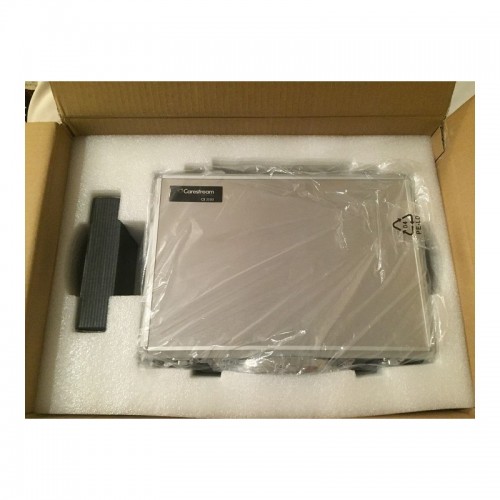
| CARESTREAM CS3500 INTRAORAL DIGITAL SCANNERThe CS 3500 intraoral scanner includes a light guidance system that aides in the capture of the data during the image acquisition process, allowing the user to place more focus on the patient’s mouth rather than the monitor.The end result is a highly precise digital impression of your patients’ mouth in a matter of minutes.The CS 3500 was introduced as part of the CS Solutions portfolio, a unique open CAD/CAM system. This open system gives users the option to either use images captured by the scanner to design and mill crowns in-house or share digital impression files with preferred labs to create restorations or orthodontic appliances.Features of Carestream CS3500 Intraoral Digital Scanner :– High angulation scanning
– Unique light guidance system
– Direct USB connection
– Disposable and autoclavable tips
– Virtually automatic bite registration
– 1024×768 image resolutionFacts Carestream CS 3500 Intraoral Scanner– Handheld and truly portable requiring no trolley and can be plugged into any computer via USB cable
– No traditional impression material or powder required
– Easy to use with a light guidance system that tells you when a scan is successful
– Compact ergonomic shape and slim scanner headBenefits of Carestream CS3500 Intraoral Digital Scanner :– Can quickly acquire a full arch of information
– Eliminates the need to painstakingly maneuver the scanner head in patients’ mouths
– Compatible with open system CAD software like Dental Wings, 3Shape, and Exocad
– Comfortable and easy for users to navigate around patients’ mouths, especially during full arch acquisitionsWith the CS 3500 intraoral scanner, practitioners can easily acquire precise true color, 2D and 3D digital impressions. The CS 3500 works as part of the integrated CS Solutions CAD/CAM restoration portfolio, or a standalone solution in a practice’s restorative workflow. Requiring no external heater or trolley system, the CS 3500 features high-angulation scanning of up to 45 degrees and to a depth from -2 to +13mm. Additionally, the CS 3500 features a unique light guidance system that aids in the capture of the data during the image acquisition process.The Carestream CS3500 Intraoral Digital Scanner also offers unique dedicated scanning workflows for both implant-borne prosthetic planning and orthodontic digital models and appliance fabrication.* Laptop Acquisition Computer and/or Carestream Software and License available for an additional charge.Features:CARESTREAM CS3500 INTRAORAL DIGITAL SCANNER- Faster Scan Speed
- Superb Digital Impressions
- Light Guidance System
- Portable for Easy Sharing
- Lightweight Handpiece
- Disposable and Autoclavable Tips
- Flexible Open System
- Dedicated Scanning Implant Workflow
|




Reviews
There are no reviews yet.